roundup
A Developer’s Guide to Choosing the Best Office Chair for a Home Office
I'm Mike, a web developer for fifteen years. I moved to remote work in 2020. That's when I found out how much an office chair actually matters for both getting…

Devs At Home is a participant in the Amazon Services LLC Associates Program, an affiliate advertising program. We earn from qualifying purchases. This never affects what we recommend or what we say about it.
I'm Mike, a web developer for fifteen years. I moved to remote work in 2020. That's when I found out how much an office chair actually matters for both getting work done and not hurting by the end of the day.
Before that, I'd worked in offices with decent chairs already picked out. At home, I spent the first few months on a dining chair with my laptop. Your shoulders start to notice around hour three. So does your lower back. That's what sent me into ergonomics research, and I've been learning about it since.
I started where most of us start: Reddit threads about chairs for programmers. The collective wisdom there helped. What it taught me is that recommendations are all over the place in price and features. There is no single answer that works for everyone.
What I took from it: the right chair is not just comfort. It's about not wrecking your back, reducing the risk of musculoskeletal problems, and being able to keep working without pain. Whether you're experienced or just starting out, freelance or on a team, this guide will walk you through what matters when you're picking a chair.
We'll cover what to look for, how to think about price, and specific recommendations across budgets. The goal is to get you set up in a way that works in your home office. This is the guide to choosing a chair that actually fits how you work.
The Importance of Ergonomics for Developers
You lose track of time when you're deep in a problem. Six hours pass. You've been sitting the entire time, and your neck is stiff.
Ergonomics is the science of designing things so people can use them efficiently and safely. For office chairs, good ergonomics is the difference between a productive day and one where your back is the thing you're thinking about instead of the code.
What Makes "The Best" Ergonomic Chair for Programmers
The chair you sit in eight hours a day needs to do specific things, or you'll feel it by midafternoon. Here's what to look for:
- Seat Height Adjustment: You want your feet flat on the floor and your knees at ninety degrees. That position keeps strain off your lower back. If the chair won't go low enough or high enough, it's wrong.
- Lumbar Support: Your spine curves. The chair should match that curve, not fight it. Without support in the small of your back, you'll slouch forward and your shoulders will follow.
- Adjustable Armrests: Armrests hold your elbows at ninety degrees while you type, taking load off your shoulders and neck. Fixed armrests are too high for some people and too low for others.
- Quality Material: Cheap foam compresses. Cheap mesh sags. You're going to spend years in this chair — the upholstery needs to breathe and the padding needs to last.
- Swivel and Movement: The chair should rotate smoothly so you can reach across your desk without twisting your spine. A chair that fights you every time you move is a chair you'll resent.
Common Health Issues for Developers
Sit still long enough and your body starts to complain. Eye strain and wrist strain show up first. A bad chair makes both worse by forcing you into positions that tighten your neck and push your wrists into awkward angles.
Ergonomics isn't magic, but it does reduce how much damage you do to yourself each day. An upright posture, supported by a chair that fits, keeps your neck from cramping and your shoulders from rounding forward. That takes pressure off your upper back, which can lessen the headaches that come with eye strain. If the chair lets your arms rest at a natural height, your wrists won't bend as sharply over the edge of the desk when you type.
The chair alone won't fix everything — you still need to stand up and move — but a good one makes the hours between breaks less punishing. The options below are organized by budget, and each one was chosen because it does the job for someone who types all day.
Things to Consider Before Buying a Desk Chair
A few factors matter more than the rest. Get these wrong and the chair will never feel right, no matter how many adjustments it claims to have.
- Adjustability: Bodies are different sizes. A chair with fixed armrests and a fixed lumbar curve will fit some people perfectly and torture everyone else. Seat height, armrest height and lumbar depth should all move, or the chair is a gamble.
- Material: Foam that doesn't breathe turns into a sweat trap by July. Mesh that's too loose sags and stops supporting you. The upholstery needs to last years without flattening, and it needs to let air through when you've been sitting for three hours straight.
- Price: Your budget is real. Expensive chairs are often better, but not always, and there are decent options at every price point. It's about finding what works without pretending cost doesn't matter.
- User Reviews: Other developers will tell you what breaks first and what starts to hurt after six months. Pay attention to reviews from people who sit as long as you do, not from someone who uses the chair for an hour of email.
Is there a "correct" Programming Chair Position?
The phrase "programming chair position" shows up in Reddit threads when developers compare desk setups. It means the posture you're aiming for to avoid wrecking your back and neck over a decade of commits.
Feet flat on the floor. Back straight, lumbar support in the small of your back. Elbows at ninety degrees when your hands are on the keyboard. Monitor at eye level so you're not craning your neck up or dropping your chin down to see the screen.
A chair with enough adjustment range lets you hit that position and hold it through a build cycle. Get the posture right and your shoulders stop burning by mid-afternoon. Ignore it and you'll feel it.
The next section covers chairs at different price points that actually adjust where it matters.
Good, Better, Best Chair Recommendations for Every Budget
Some home office expenses are negotiable. That heated mug coaster can wait. The third monitor is a nice-to-have, not essential on day one. Your chair is not one of those expenses.
Good: Budget-Friendly Options
You can get an ergonomic chair for under $200. The catch is narrower adjustment ranges and materials that won't last ten years, but if the budget is tight, a decent mesh chair beats a dining chair by mid-afternoon.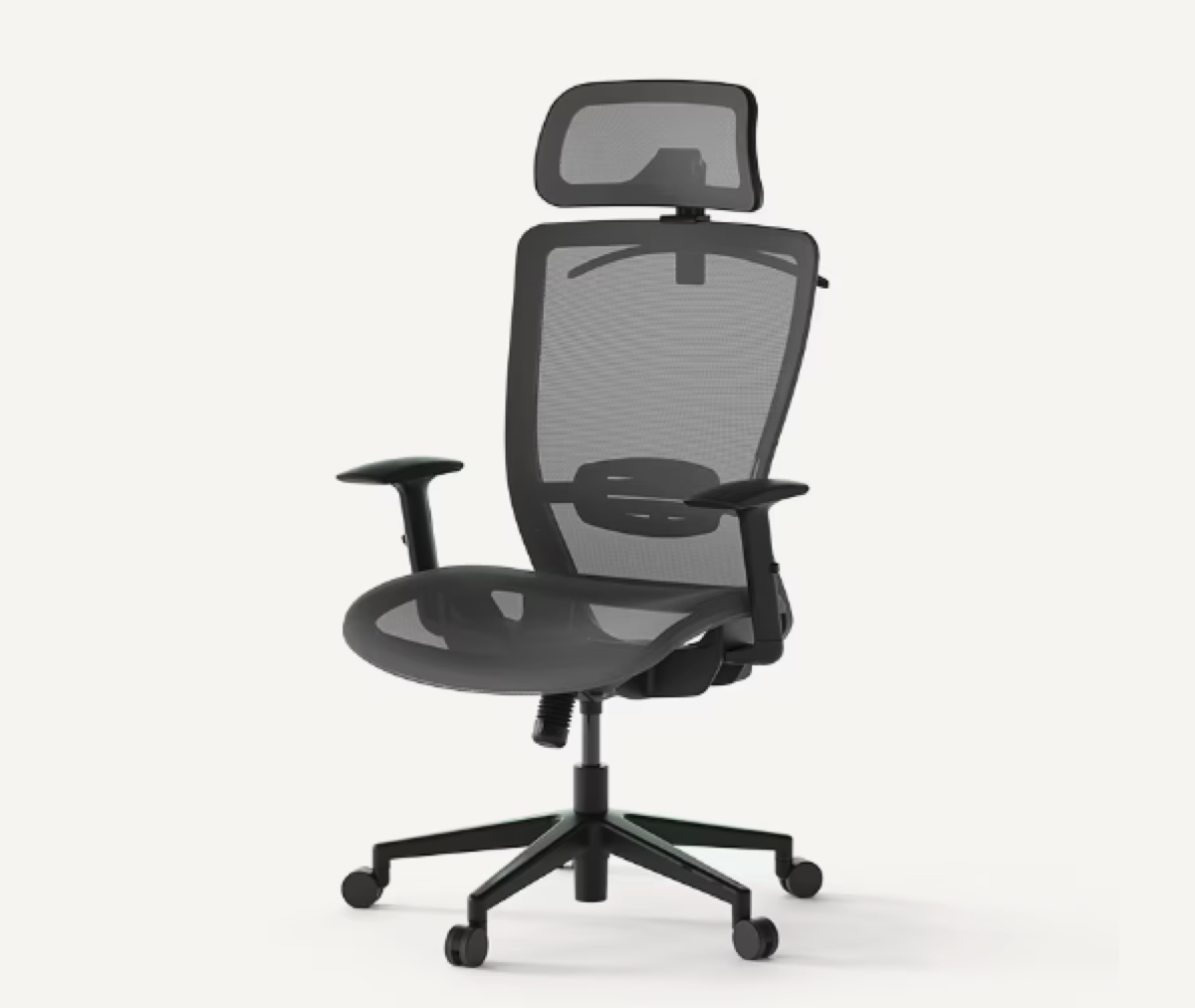 The Flexispot OC3B Ergonomic Office Chair sits at the budget end of the range and covers the basics. Mesh back, so you won't overheat. Adjustable headrest, armrests and seat height. The tilt tension mechanism lets you recline without fighting the chair, which matters after six hours at the desk. Not every component feels premium, but the ergonomics are there.
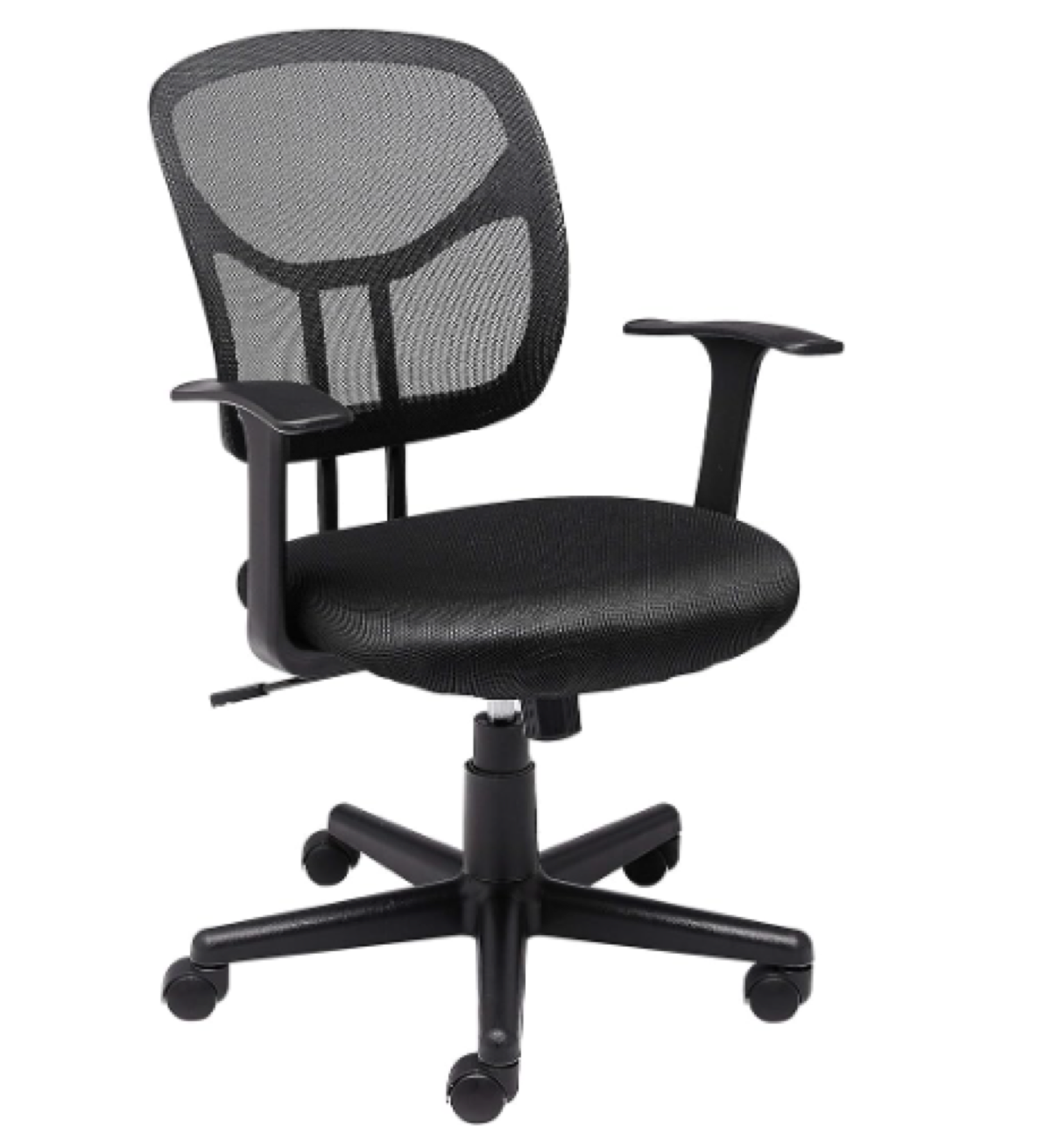 Two other options in this range: the AmazonBasics Mid-Back Mesh Chair and the HON ValuTask Low Back Task Chair. Both have enough adjustability to fit most people and user reviews that hold up. Worth comparing all three if you're buying in this price bracket.
A budget chair won't give you the range or durability of a mid-tier model, but it will let you adjust lumbar support and armrests instead of wedging a pillow behind your lower back. That's the trade-off, and for some setups it's the right one.
Two other options in this range: the AmazonBasics Mid-Back Mesh Chair and the HON ValuTask Low Back Task Chair. Both have enough adjustability to fit most people and user reviews that hold up. Worth comparing all three if you're buying in this price bracket.
A budget chair won't give you the range or durability of a mid-tier model, but it will let you adjust lumbar support and armrests instead of wedging a pillow behind your lower back. That's the trade-off, and for some setups it's the right one.
Better: Mid-Tier Options
Spend a few hundred more and you get real adjustability. Lumbar support that moves. Tilt mechanisms that lock where you want them. Materials that last past the warranty. The question is whether the upgrades match what actually hurts after eight hours.
The Flexispot Pro Mesh Office Chair Soutien OC10 balances cost against ergonomic depth better than most chairs in this range. Its 3D lumbar support adjusts across three height levels with a gentle rebound system, and the curved backrest follows your neck and spine instead of pushing against them. Works for most backs.
The armrests adjust in four dimensions — height, width, depth, angle — so your elbows rest without your shoulders lifting. Italian chenille and K+R temperature-sensitive fiber make up the breathable mesh. It vents. The backrest tilts forty-five degrees when you need to lean back, and the seat depth adjusts to fit your thighs without cutting into the backs of your knees. Samhongsa Class 4 gas lift, TUV/BIFMA/SGS certified, over ten thousand pressure test cycles. It holds up.
The HON Exposure Mesh Task Chair costs less and gives up less than you'd expect. Adjustable armrests, seat height, tilt tension and lock. Mesh back, padded seat. People who sit in the HON Exposure for ten-hour days report the padding holds its shape, which matters more than the mesh looking technical.
Serta makes mattresses, so the Serta AIR Health and Wellness Executive Office Chair leans into plush comfort harder than the other two. Pillowed headrest. Deep layered body pillows. Feels like sitting in upholstery instead of task seating. It also includes an adjustable lumbar mechanism and sculpted armrests to keep your spine aligned, though the overall design favours softness over the kind of firm support most developers prefer after year two.
Mid-tier chairs fix the problems budget models ignore: your lumbar curve, the angle of your thighs, how your arms float when you type. Whether that is worth three times the price depends on how much your lower back already hurts and whether you plan to sit here for the next five years. If you do, it is.
Best: High-End Options
The high-end chairs cost more, but they last longer and adjust further than anything in the budget range. If you sit for eight hours a day, the difference shows up in your neck and lower back within a month.
The Pro Plus Mesh Office Chair OC14 is the pick here. It costs less than the Herman Miller but still delivers serious adjustability. The back frame uses PU soft plastic that flexes with your spine and adjusts firmness based on your weight. No levers to fiddle with — it just responds.
The seat on the OC14 does the same thing. It shifts according to your weight and height, adding support where you need it. The design integrates with your body instead of fighting it, which matters when you're three hours into a debugging session.
It also has a new armrest mechanism that feels like shifting gears in a sports car. A bit flashy for an office chair, but the control is precise and the lift range is wide.
The headrest adjusts with an arch-shaped design that cups your cervical vertebrae. Reduces pressure when you lean back between builds. The PU wheels are silent and won't scratch hardwood, and the aluminum chassis keeps the whole thing stable without creaking.
Then there's the Herman Miller Embody Ergonomic Office Chair. Every programmer forum mentions it, and for once the hype is justified. The Embody uses an exoskeleton structure that mirrors the human spine. Back support is unmatched, and it keeps you upright without feeling locked in place.
Every part of the Embody flexes and moves with you. The Pixelated Support technology distributes your weight evenly across the seat, so no single pressure point builds up over the day. The fabric breathes well enough that heat doesn't accumulate during long sessions.
The Steelcase Leap Fabric Chair is the other option developers swear by. Its LiveBack technology adjusts automatically as your spine moves. Lean forward to focus, recline to think — the chair follows without manual adjustment.
Beyond the back support, the Leap offers adjustable seat depth, lower back firmness control, and armrests that adjust in four directions: height, width, pivot and depth. It accommodates a wide range of body types, so it works in shared spaces where different people use the same chair.
The upfront cost is higher. But these chairs hold their settings, keep their cushioning and last a decade. If you're at a desk forty hours a week, the money goes further here than on any other piece of furniture in the room.
Bonus Tips for Proper Chair Adjustment
Buying the right chair is half the job. You still have to set it up correctly, and most people don't.
I asked my chiropractor about my home office setup a while back. Turns out the ergonomic advice from Reddit was only half right. Here's what an actual expert said to adjust:
- Seat Height: Feet flat on the floor, knees at ninety degrees. This keeps blood moving and takes strain off your lower back.
- Seat Depth: Leave a two to three-finger gap between the seat edge and the back of your knees. Too much space or too little will cut circulation.
- Backrest: The backrest should match the natural curve of your spine. Your lower back gets full support, and your upper back aligns without forcing it.
- Armrests: With shoulders relaxed, your elbows should rest on the armrests and your forearms should run parallel to the floor. Prevents shoulder strain and keeps wrists neutral.
- Headrest: If your chair has one, adjust it to support your neck's natural curve when you lean back. Stops neck strain and tension headaches before they start.
Chair setup doesn't exist in isolation. Your monitor should sit at eye level, about an arm's length away. Your keyboard should let your wrists stay straight and your elbows stay at ninety degrees.
For more on those, check the articles on monitor height and keyboard placement. They cover the details and common mistakes people make when setting up a workspace.
Everyone's build is different. Expect to spend a few days tweaking before it feels right.