guide
Desk Decor for Developers: A Setup That Looks Intentional
Three layers, a handful of objects that do something, and knowing when to stop.
Devs At Home is a participant in the Amazon Services LLC Associates Program, an affiliate advertising program. We earn from qualifying purchases. This never affects what we recommend or what we say about it.
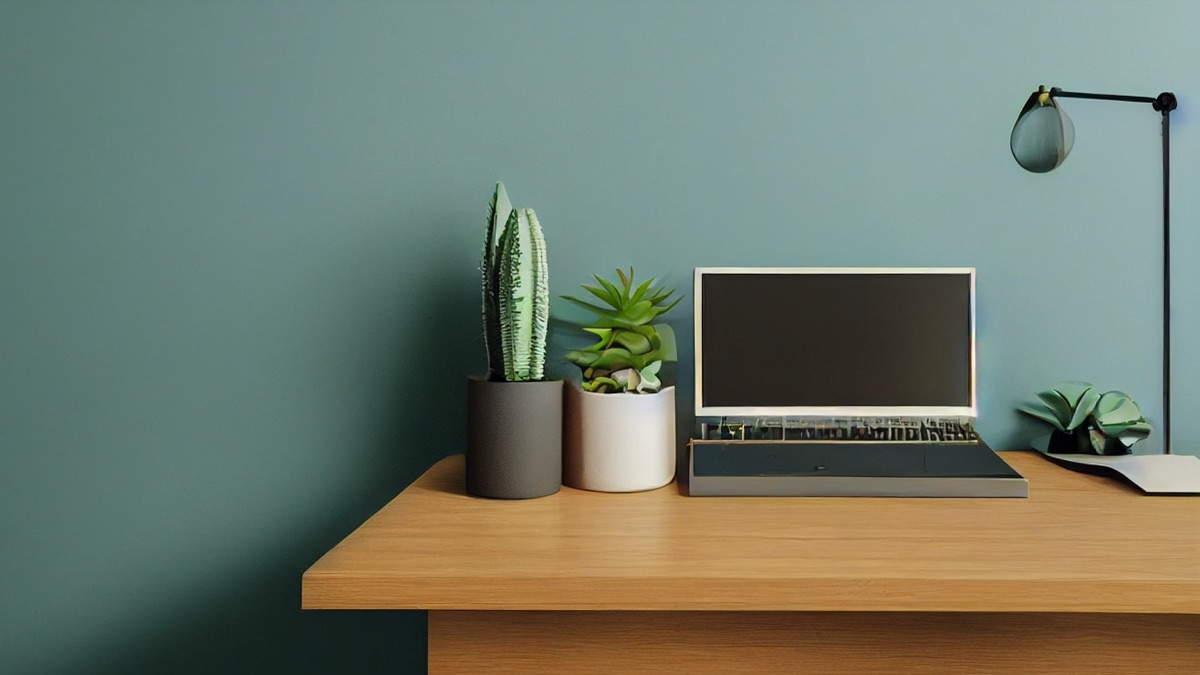
Desk decor for programmers works when it adds function or rhythm to a day spent mostly looking at text. Plants filter air and soften hard edges. A lamp changes the room when the sun goes. A Newton's cradle gives your eyes somewhere to rest that is not a screen. The line between decorated and cluttered is whether the object earns the space it takes.
Key points
- Think in three layers: desk surface, the wall behind your monitor, and a shelf line above eye level if you have one.
- Snake plants survive low light and irregular watering, which matches how most developers treat houseplants.
- Bias lighting behind a monitor reduces eye strain and counts as decor when the wavelength is warm.
- Objects with a job — a clock, a lamp, a pen holder — look intentional; purely decorative items read as clutter past the second or third.
- Frame your video calls to show the monitor and one layer behind it, not the entire room.
- A large desk mat defines the workspace boundary and hides cable mess without adding vertical bulk.
The difference between decorated and cluttered: a rule you can apply
A desk looks intentional when most of what sits on it does something. Your monitor does something. Your keyboard does. A plant humidifies air and breaks up the geometry of screens and boxes. Past that, every object you add fights for attention with the code you are trying to read.
Count the items. If more than half are purely decorative — no function, no daily use — the space reads as cluttered even when it is clean. This is not minimalism as religion. It is recognising that a desk is where you look at text for hours, and anything that pulls your eye away from that text costs focus.
The things that work hardest as decor are the things you touch or look at on purpose. A lamp. A clock. A mug. They anchor the space because they belong in the routine.
Purely aesthetic objects can sit in that routine too, but there is a threshold. Two or three small pieces — a figurine, a print, a stone — register as personality. Six or eight register as a collection that wants cataloguing. Your eye will catalogue them whether you mean to or not.
Layers: desk surface, wall behind the monitor, shelf line above
Developers frame their space in three horizontal bands, whether they plan it or not. The desk surface is where the work happens. The wall or surface directly behind the monitor is what you see all day in your peripheral vision. A shelf or picture rail above eye level, if the room has one, is what visitors and camera frames read as background.
Start with the desk surface. A large mouse pad or desk mat like the Sage Green Striped Desk Mat Cute Pastel XXL Large Gaming Mouse Pad Des unifies the surface and hides where cables enter from below. It defines the work boundary without adding height. Keep this layer sparse: monitor, keyboard, one plant, one or two objects you use daily. A lamp if it sits at the back edge or clamps to the desk.
The wall behind the monitor carries more weight than you expect because it is always there when you glance up. A single print or a narrow floating shelf works. A pegboard with tools or cables does too, if the grid is organised. What fails is a collage of unrelated items — three posters, a calendar, a mirror — because your brain tries to parse the collection instead of ignoring it.
Above eye level, a shelf can hold books, storage boxes, or a few objects that establish a theme. This layer barely registers when you are working, but it completes the frame in a photograph or video call. Keep it aligned: book spines flush, boxes uniform, or nothing at all.
Plants that survive a room with one window
Most home offices have one window, often facing the wrong direction for strong light. The plants that survive this are the ones that evolved under forest canopies, not on windowsills.
Snake plants tolerate low light and weeks of neglect. The Costa Farms Snake Plant is common because it works. Water it every two to three weeks, less in winter. It grows slowly, which means it stays desk-sized for years. The vertical lines break up the horizontal run of monitors and keyboards.
Pothos vines grow in dim corners and forgive irregular watering. They trail or climb, so they suit a shelf above the desk better than the surface itself. Cut them back when they reach the monitor.
A closed terrarium like the XXXFLOWER Plant Terrarium with Wooden Stand holds moisture and needs watering once a month or less. The glass catches light, which counts as decor whether the plants inside are thriving or just alive. The wooden stand lifts it off the desk surface, so it occupies the middle layer between desk and wall.
Succulents need more light than most offices provide. They survive, but they stretch toward the window and lose their compact shape. If your window gets direct sun for three or four hours, they work. If not, skip them.
Expect to replace a plant every year or two. They are not expensive and they are not meant to be heirlooms.
Light as decor: bias light and warm lamps
Light changes a room faster than furniture. A lamp with a warm colour temperature — around 2700K — makes a desk feel less clinical than the overhead fixture. It is decor because it alters the mood, and it is functional because it reduces the contrast between your bright monitor and a dark wall behind it.
Bias lighting is an LED strip stuck to the back of your monitor, pointing at the wall. It was invented to reduce eye strain, but it also defines the monitor as an object in space rather than a glowing rectangle in the dark. Warm white or a dim amber works better than RGB cycling through colours, which is a distraction you will turn off within a week.
A desk lamp matters most in late afternoon and evening when the window stops contributing. Clamp-on lamps save desk space. Architects' lamps with an arm you can swing out of the way do the same. Avoid lamps with visible LED filaments that are too bright to look at directly — they are set dressing, not task lighting, and they will annoy you.
If your monitor is centred on the desk, put the lamp on the side opposite your mouse hand so you do not cast a shadow across the keyboard when you reach for it. If the monitor is off to one side, the lamp goes on the far edge to balance the frame.
Objects with a job: the decor that earns desk space
Some objects are decor because they do something. A wall clock so you do not have to check your phone. A pen holder so pens do not roll off the desk. A coaster so a mug does not leave a ring on the mat. These read as intentional because they solve a small recurring problem.
A Newton's cradle like the Juvale Newtons Cradle Pendulum sits in that category if you use it. Pull one ball back and release it when you are stuck on something. The rhythm is repetitive enough to let your mind wander, which is when solutions arrive. If you never touch it, it is clutter.
A notebook and a good pen are decor if they are the ones you reach for during a call or when sketching out a data structure. If they sit unopened, they are not.
A headphone stand keeps headphones off the desk and gives them a home that is not the back of the chair. A small tray corrals dongles and cables. These are not decorative objects, but they make a desk look composed because they put tools in predictable places.
Cable management is half of what people perceive as tidiness. Velcro wraps or cable sleeves that bundle the runs under the desk and behind the monitor let you add a plant or a lamp without making the desk look busy.
| Object | Function | Fails if |
|---|---|---|
| Plant | Softens geometry, improves air humidity slightly | Dead or needs weekly fussing |
| Desk lamp | Reduces monitor contrast, lights keyboard | Positioned where it reflects on screen |
| Clock | Time without unlocking phone | Not visible from seated position |
| Coaster | Protects desk mat, defines mug location | Mug never lands on it |
| Pen holder | Stops pens rolling onto floor | Empty or overflowing |
| Desk mat | Unifies surface, hides cable entry | Too small to fit keyboard and mouse together |
What to leave out of frame on camera
Video calls frame a narrower slice of your desk than you think. Most people position the camera to show their face and shoulders, which means the visible background is the wall or shelf directly behind the monitor and maybe one desk corner.
Frame the call before you decorate for it. Prop your phone where the webcam sits and take a photo. What is in that rectangle is what colleagues see. The lamp on your far-left desk edge is not in frame. The plant on the shelf above probably is.
One or two objects behind you look intentional. A print, a plant, part of a shelf. More than that and people start reading the background instead of listening. The goal is not a showroom; it is a background that does not require explaining.
Avoid anything that moves or blinks. A window with passing traffic. A clock with a loud second hand. RGB lighting that cycles colours. These pull attention during a call.
If your desk faces a wall and your back is to the rest of the room, everything behind you is out of your control once the call starts. A closed door or a plain wall solves it. A bookshelf works if the spines are aligned and the shelf is not crammed. A bed or a pile of laundry does not.
Lighting matters more than decor in a call frame. A window or lamp in front of you lights your face. A window behind you turns you into a silhouette. If the desk has to face a window, close the blind halfway or add a lamp to fill the shadows.
Choosing a desk mat
A large desk mat covers most of the surface and gives the space a clean border. It hides scuffs and cable holes. The Sage Green Striped Desk Mat Cute Pastel XXL Large Gaming Mouse Pad Des is wide enough to fit a keyboard and mouse side by side, which most desk mats are not.
Extended mats work better than small mouse pads because they define the entire workspace. Your keyboard does not slide. Your mouse does not hit the edge. Cables that run under the mat stay hidden.
Colour matters if the desk sits in a camera frame. Neutral tones — grey, beige, dark green — photograph well and do not date. Bright colours or loud patterns turn the mat into the focal point, which is rarely the intent.
Thickness is a trade-off. Thin mats lie flat and do not add much bulk, but they show every crumb. Thick padded mats feel better under your wrists but lift the keyboard high enough that it changes your arm angle. Most developers prefer thin.
Stitched edges last longer than unfinished ones, which peel and fray after a year of sliding a mouse across them.
When to stop
You know the desk is finished when you stop noticing the decor. The plant is there, the lamp is on, the mat is clean, and none of it pulls your attention when you sit down to work. That is the difference between a workspace that looks intentional and one that demands maintenance.
If you spend five minutes arranging objects before you can start typing, the setup is working against you. If you find yourself buying another small object every month, the desk is not missing something — it is overcrowded and you are trying to fix it with more.
The best desk decor for programmers is the setup you forget about after the first week. Three layers, a handful of objects that do something, and knowing when to stop.
Common questions
How many plants should sit on a developer's desk?
One or two. A single plant on the desk surface and maybe one on a shelf behind the monitor is enough. More than that and you spend time watering and rotating them instead of ignoring them, which is what makes low-maintenance plants work in the first place. If the room supports more plants, put them away from the desk where they do not compete with the screen for attention.
Does bias lighting actually reduce eye strain?
It reduces the contrast between a bright monitor and a dark wall, which makes the screen feel less harsh in a dim room. Whether that prevents eye strain depends on how much of your discomfort comes from contrast versus other factors like screen brightness, font size, or simply staring for too long without breaks. Bias lighting is cheap enough to test yourself. If it helps, keep it. If not, standing up every hour matters more.
What desk mat size works for a full-size keyboard and mouse?
At least 80 cm wide and 30 cm deep. The Sage Green Striped Desk Mat Cute Pastel XXL Large Gaming Mouse Pad Des is 90 cm by 40 cm, which fits a full mechanical keyboard and leaves room for the mouse to move. Smaller mats force you to choose between protecting the desk under the keyboard or under the mouse, and you will end up sliding one or both off the edge.
Can you put a desk lamp and a monitor on the same surge protector?
Yes. A desk lamp draws a few watts; a monitor draws 30 to 60 watts depending on size and brightness. Together they are nowhere near the capacity of a standard surge protector. The lamp can plug into the same power strip as the monitor, the laptop charger, and the desk speakers without issue.
How do you keep a plant alive when you forget to water it for three weeks?
Choose a plant that expects neglect. Snake plants and pothos store water in their leaves and roots, so they tolerate dry soil longer than most houseplants. A closed terrarium recycles its own moisture and needs watering once a month. If you routinely forget for longer than that, skip real plants and accept that the desk will not have one.
What goes on the wall behind a monitor if the desk is not against the wall?
Nothing, usually. If the desk floats in the middle of the room or faces away from the wall, the background in a video call is the room itself. In that case, keep the area behind you clear or position a bookshelf or room divider a metre or two back to define a boundary. Most developers find it easier to push the desk against a wall and decorate that narrow strip than to manage an entire room as a background.
Should RGB lighting be part of a desk setup?
Not if you leave it on while working. RGB strips that cycle through colours are distracting enough that most people turn them off after a few days. Static warm white or dim amber can work as bias lighting or under-desk accent lighting, but the rainbow gradient effect is decor for photographs, not for an eight-hour day of reading code.
How often should you clean a desk mat?
Every two to four weeks, depending on whether you eat at the desk. Wipe it with a damp cloth or take it to a sink and scrub it with dish soap if crumbs have worked into the fabric. Let it dry flat. Cleaning it regularly keeps the colours from looking dingy and stops it from smelling like old coffee.