guide
Our Favorite Standing Desks for Web Developers & Designers
Is there even a best desk for programmers or web developers? You design and build websites. That might mean front-end work in HTML, CSS and JavaScript, or…
Devs At Home is a participant in the Amazon Services LLC Associates Program, an affiliate advertising program. We earn from qualifying purchases. This never affects what we recommend or what we say about it.
Is there even a best desk for programmers or web developers?
You design and build websites. That might mean front-end work in HTML, CSS and JavaScript, or back-end code in PHP, Ruby, Python or something else entirely. Some of you are on a team; some work alone as contractors. Either way, the demand is there — employment for web developers is projected to grow 8% from 2019 to 2029, faster than the average across all occupations.
The move to the home office environment
More developers work from home now than did five years ago. The flexibility is real, but so is the problem of sitting in a makeshift office chair for nine hours straight. Long sessions at the keyboard lead to eye strain, neck pain, back pain and wrist trouble if the setup is wrong. Poor ergonomics add up.
We cover gear and layout decisions for the developer home office. This site exists because those decisions matter when you sit and type all day.
Standing desks are one of the few changes that actually help. Not the extreme treadmill standing desks — those are a different conversation. Just a desk that lets you stand for part of the day. Both of us writing this have used them for years, and the difference shows up in your back by about hour six of a long sprint.
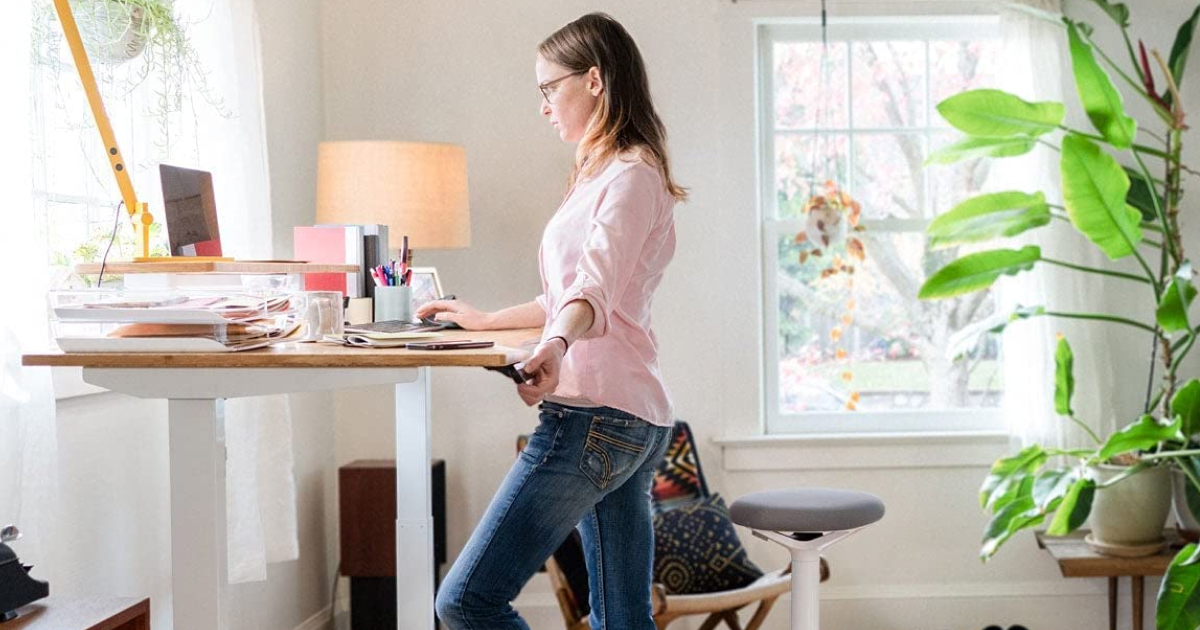
A standing desk lets you work upright instead of sitting. The simplest version is a riser you set on top of your current desk. A dedicated standing desk is a full piece of furniture built for the purpose. Most models adjust up and down so you can switch positions during the day without clearing your monitors off the surface every time.
Are standing desks really worth it for web developers? Yes! Especially for programmers developers
Standing desks are not a one-size-fits-all solution, so listen to your body and make adjustments as needed. Start slowly if you're new to this. Gradually increase the time you spend standing. Wear comfortable shoes, take regular breaks to stretch and move around, and for god's sake get a proper chair. I spent two years in a cheap Amazon chair I'd bought in a panic after my old one broke, and I felt it in my shoulders by about three every afternoon. An ergonomic office chair is still absolutely critical for your new standing desk. You will never be standing the whole time. The best thing about standing desks on the market today — whether they are electric like my favorite the Flexispot Vicci Dual or even pneumatically powered — is that they are adjustable, and that's the point of also having a great chair.
An adjustable standing desk can be a great option if you're looking to incorporate movement into your workday and improve your overall health and well-being.
So, are standing desks good for programmers? There are several potential benefits. Standing desks can help reduce the risk of health issues such as obesity, heart disease, and type 2 diabetes, which are associated with prolonged periods of sitting. They may also improve posture and reduce the risk of back pain, neck pain, and other musculoskeletal issues. Additionally, standing desks may increase energy and productivity, as they can help reduce fatigue and stimulate circulation. Worth the money? If you sit for eight hours a day, yes.
- Improved posture: Standing desks can help improve posture by encouraging you to stand up straight. Extremely useful, especially if you've been slouching over a laptop for years. This can help reduce the risk of neck strain and back pain.
- Increased blood flow: Standing desks can help improve blood flow and circulation, which helps prevent fatigue and improves overall comfort.
- Increased energy: Studies have shown that standing desks can increase energy levels and improve productivity. This can be especially helpful if you spend long hours at your desk.
Health benefits aside, there are lots of things to consider when choosing the right standing desk for your home office. Check out the FAQ below and consider your individual needs.
When choosing a standing desk, consider your specific needs and budget. Standing desks can be a good option if you're looking to improve your posture, increase blood flow and circulation, and increase energy levels and productivity.
A big question I get asked a lot is, How long should you stand at a standing desk per day? It's generally not recommended to stand for more than 4-5 hours at a time without taking a break to sit down. Prolonged standing can lead to fatigue. Take regular breaks to rest and relax. Pay attention to your body and listen to any discomfort or pain that you may experience while standing. If you experience discomfort or pain while using a standing desk, take a break and stretch or move around.
How did we choose these standing desks?
We tested these desks for stability, height range and whether the controls work when you're actually holding a coffee. A standing desk lives or dies on three things: how smoothly it adjusts, how much it wobbles at full height and whether the frame will outlast the top. Budget matters, but so does desk space and how often you'll actually stand. Here's what we picked at each price point.
Budget ($100-$300)- BilBil Electric Standing Desk: The BilBil Electric Standing Desk adjusts height and comes in several shapes. It's cheap. The frame is lighter than mid-range options, so expect some wobble at full extension, but for the price it does the job.
- FlexiSpot Vici Essential Standing Desk: The FlexiSpot Essential Duplex has a steel frame and adjusts height. The split-level worktop puts your monitors at the right height without a separate riser, which is the main reason to pay a bit more for this one over the BilBil. Correct eye height matters more than the desk itself.
- Uplift V2 Standing Desk: Steel frame, customisable worktop, built-in cable management. The Uplift V2 adjusts height and stays stable at the top end of its range, which is what you're paying for in this bracket. Worth it if you'll stand for more than an hour a day.
- Varidesk Pro Plus 36: The Varidesk Pro Plus 36 has a steel frame, adjusts height and includes cable management. Spacious worktop. Costs about the same as the Uplift but with less customisation and a slightly noisier motor.
- Herman Miller Renew Sit-to-Stand Desk: The Herman Miller Renew has a steel frame, adjusts height and offers a customisable worktop with built-in cable management. You're paying for the name and the warranty. The desk itself is not noticeably better than the Uplift for day-to-day work.
- Fully Jarvis Standing Desk: Steel frame, height adjustment, cable management, customisable top. The Fully Jarvis disassembles without swearing, which matters if you move house. Motor is quieter than the Herman Miller and the warranty is nearly as long.
Adjust the desk so your elbows sit at ninety degrees when your hands are on the keyboard. Pair it with a monitor riser or arm and a wrist rest. The desk matters less than using it properly.
FlexiSpot appears in every price range because their desks work and cost less than the competition. We're not affiliated with FlexiSpot. We use affiliate links for their products and for most of the others on this page, which funds the site. We recommend what we'd buy ourselves, and we say so when we wouldn't.