guide
Comparison of Brands and Features for Ergonomic Desk Chairs
Buying an ergonomic chair means choosing between materials, adjustments and price points that all claim to fix the same problem. They don't all work the same…
Devs At Home is a participant in the Amazon Services LLC Associates Program, an affiliate advertising program. We earn from qualifying purchases. This never affects what we recommend or what we say about it.
Ergonomic desk chairs differ in material type, adjustment mechanisms and build quality across brands. Mesh chairs breathe better than fabric or leather, while adjustment range for lumbar support and armrests determines whether the chair fits your spine. Herman Miller and Steelcase prioritise durability and granular adjustment; Humanscale builds chairs that move with you rather than lock into position.
Key points
- Mesh backrests allow airflow through the weave while fabric and leather trap heat against your back during long sessions.
- Lumbar support adjusts both vertically and in depth on higher-end chairs, letting you position the curve exactly where your lower back needs it.
- Armrest adjustment includes height, width, angle and forward-backward travel on fully featured models, but budget chairs typically fix two or three of those.
- Seat depth adjustment moves the front edge forward or back so the cushion does not press into the back of your knees.
- Tilt mechanisms on expensive chairs let you lock the recline angle or adjust tension independently, while cheaper models give you one tension knob for all positions.
- Warranty length correlates directly with build quality — twelve years on a Herman Miller versus two years on a budget chair tells you which one the manufacturer expects to survive.
What material should you choose for an ergonomic desk chair
Mesh, fabric and leather each solve different physical problems when you sit for eight hours. Mesh backs stay cool because air moves through the weave instead of trapping heat against your spine. Fabric seats absorb sweat but hold onto it, which matters by hour six on a warm day. Leather wipes clean in thirty seconds but sticks to the backs of your thighs when the room gets above twenty-two degrees.
A mesh chair breathes better than the alternatives. The suspended weave lets air circulate across your back and keeps skin temperature lower throughout the day. Spills sit on top of mesh rather than soaking in, so coffee mishaps wipe off before they stain. The trade-off is durability — mesh stretches over time, especially where your shoulders press into it, and a stretched panel sags instead of supporting. Expect visible wear after two or three years of daily use.
Fabric upholstery costs less and comes in more colours than mesh or leather. It feels softer against bare skin when you lean back in a T-shirt. Heat retention is the problem. Woven fabric traps warm air between the fibres and your body, and that layer builds up over the course of a long session. Cleaning fabric requires a vacuum attachment and sometimes a steam cleaner, not just a damp cloth. Stains soak in. If you eat lunch at your desk, fabric shows it.
Leather looks formal on video calls and handles spills without permanent damage. Wipe it down and move on. The surface stays smooth for years as long as you condition it occasionally. Leather also gets sticky. Your skin adheres to it when you sweat, which means you peel yourself off the backrest every time you stand up. Cold leather feels unpleasant first thing in the morning; warm leather feels clammy by mid-afternoon. Bonded leather — the cheaper version — peels and flakes after about eighteen months, so check what kind you're buying.
Pick based on temperature and maintenance. Mesh for hot rooms or heavy sweating. Fabric if you run cold and want something soft. Leather if the chair sits in a client-facing space and you need it to look expensive. None of them fix your posture, but mesh at least won't make you sweat through your shirt while you type.
Which adjustments actually matter for ergonomic desk chairs
Seat height, lumbar support and armrests change whether a chair fits your body. The rest is optional. Height adjustment matters because your feet need to sit flat on the floor while your thighs stay parallel to it — that range is different for someone five-two versus someone six-four. Without it, you're either dangling or compressing the backs of your knees for nine hours.
Lumbar support fills the gap between your lower back and the chair. Your spine curves inward just above your pelvis, and that curve sits anywhere from three to six inches up depending on your torso length. Fixed lumbar pads work if they happen to land where your curve is. Adjustable lumbar support moves up, down, forward or backward so you can place it exactly where your spine needs it. Miss that spot by two inches and the whole mechanism does nothing.
Armrests hold your elbows at a ninety-degree angle while you type. Drop your arms right now and bend your elbows. That height is where the armrests need to be. Chairs with height-only adjustment work if your desk is standard and your shoulders are average width. Width adjustment matters if you're broader or narrower than that average, because armrests that force your elbows together or push them apart will hurt your shoulders by mid-afternoon. Depth adjustment slides the armrest pad forward or back. Most people never touch it.
Seat depth matters if you're short or tall. Standard seat depth is about seventeen inches from the backrest to the front edge. Sit back against the lumbar support and check the gap between the seat edge and the backs of your knees. Two to four inches is correct. More than that and you're perched forward, which defeats the backrest. Less and the seat pan digs into your legs. Chairs with seat depth sliders let you fix this. Most don't have them.
Tilt tension controls how hard you have to lean to recline the chair. It's a knob under the seat. Set it too loose and you fall backward every time you shift weight. Too tight and you can't recline at all. Useful, not critical.
Tilt lock freezes the chair at a specific recline angle. Rarely used. Most people either sit upright or recline freely — locking it at fifteen degrees accomplishes nothing you couldn't get by just leaning back.
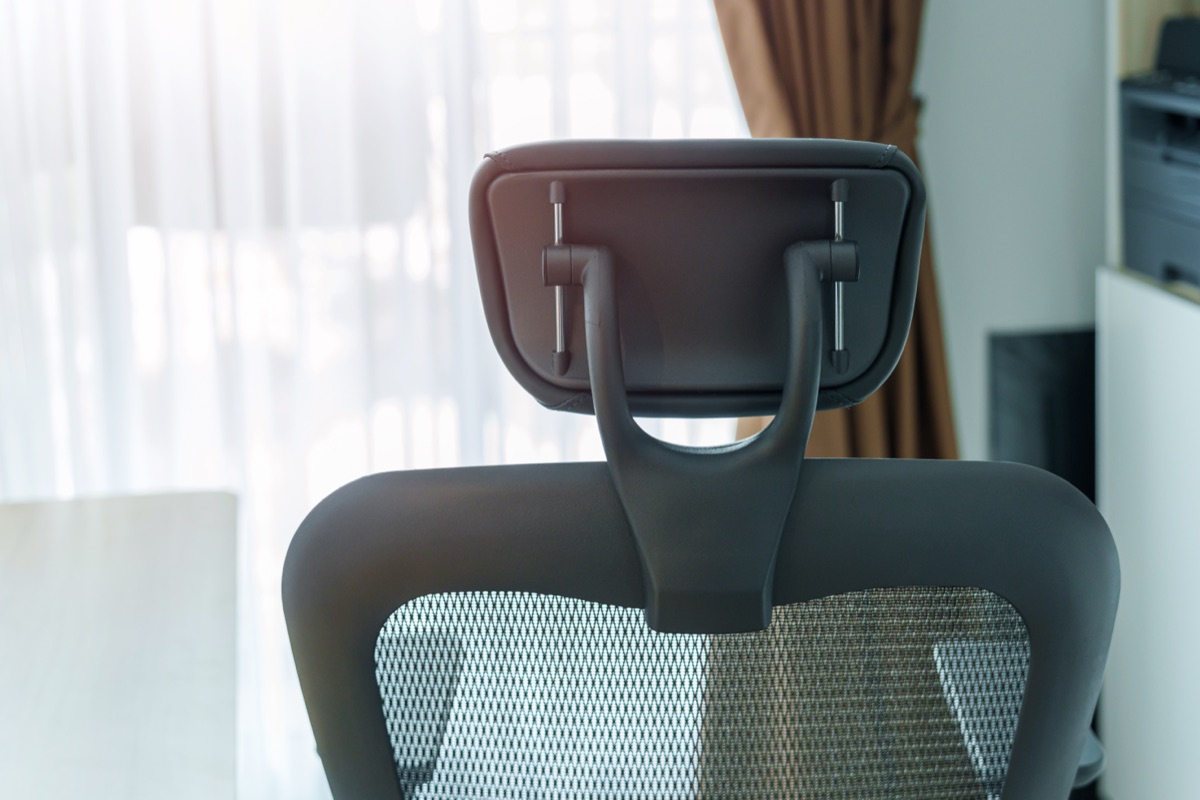
Headrests don't fit most people. Your neck needs support at a specific height and angle that depends on your torso length and how you hold your head. Fixed headrests miss. Adjustable ones take ten minutes to set and drift out of position within a week. Skip them unless you spend half the day on calls leaning back.
How Herman Miller, Steelcase and Humanscale chairs compare
Herman Miller, Steelcase and Humanscale each take a different approach to ergonomic seating, and the differences show up in how adjustments work, what materials you get and how long the warranty runs. Choosing between them means picking which trade-off fits your body and your working style.
| Brand | Popular Models | Adjustment Philosophy | Material Options | Warranty (typical) |
|---|---|---|---|---|
| Herman Miller | Aeron, Embody | Extensive manual controls for every component | Mesh (8Z Pellicle on Aeron), fabric, leather | 12 years |
| Steelcase | Leap, Think | Wide range of independent adjustments for precise fit | Fabric, leather, mesh (3D Knit on some models) | 12 years |
| Humanscale | Freedom, Liberty | Weight-sensitive recline that moves with you automatically | Mesh, fabric, gel seat option | 15 years (Freedom headrest mechanism is lifetime) |
Herman Miller chairs give you discrete controls for lumbar depth, armrest angle and tilt tension. The Aeron uses a suspended mesh that stretches differently in eight zones across the back. You set everything once, then leave it. The Embody's backrest flexes at individual ribs to follow your spine, but you still dial in the settings manually.
Steelcase builds chairs for contract environments where abuse is expected. The Leap's LiveBack technology mimics spinal movement through linked components rather than static padding. Think models strip down the feature set but keep the core durability. Both lines offer more upholstery choices than Herman Miller, including performance fabrics that resist stains better than standard weaves.
Humanscale chairs recline based on your body weight without knobs or levers. Shift back, and the Freedom tilts with you. Sit upright, and it follows. This works well if you move constantly while typing or reading. It works poorly if you want the chair to hold you in one locked angle. The Liberty adds a mesh back but keeps the same weight-responsive mechanism.
Warranty length reflects expected lifespan. All three brands cover the frame and mechanism for twelve years minimum, with Humanscale extending certain components to fifteen years or lifetime. That tells you these chairs are built to last a decade of daily use, not just survive the first year.
What you get at each price tier for ergonomic chairs
Budget chairs under three hundred dollars give you seat height adjustment, fixed lumbar support and armrests that might move up and down. That's it. The backrest won't recline independently from the seat, the lumbar pad stays where the manufacturer put it, and the armrests are usually hard plastic. Padding compresses in six months. The frame is steel, but thin steel, and you'll feel it flex when you lean back hard.
Mid-range chairs between five hundred and a thousand dollars add the adjustments that actually change how the chair fits your back. Lumbar support moves up and down to match where your spine curves. Armrests adjust in four directions instead of one. Seat depth changes so your thighs don't hang off the edge or press into the front lip. The recline tension adjusts, and the backrest tilts separately from the seat pan. Frames are thicker and the casters roll better. You're paying for the mechanism, not the badge.
Premium chairs above a thousand dollars use better materials and more durable pivot points, but the adjustment count doesn't always go up. An Aeron has fewer levers than some mid-range Steelcase chairs. What changes is longevity and refinement. The mesh stays taut for years instead of sagging in eighteen months. The tilt mechanism doesn't develop play. The armrests don't wobble after the third adjustment. Warranty coverage extends to twelve years because the manufacturer knows the frame will last that long.
The gap between mid-range and premium is smaller than the gap between budget and mid-range. A six-hundred-dollar chair with independent backrest tilt and adjustable lumbar support will fit your back. An eleven-hundred-dollar chair will fit your back and still work correctly in 2030. Whether that's worth the difference depends on how long you plan to keep the chair and whether you trust yourself not to spill coffee on it before the frame wears out.
None of this matters if the chair doesn't fit your height and weight range to begin with. Check the specs before you compare tiers.
When a cheaper chair with a lumbar pillow is enough
You don't need an expensive chair if your back problem is just the gap between your lower spine and the seat back. A basic office chair with decent seat height adjustment plus a standalone lumbar cushion solves that for most people who sit under six hours a day.
Aftermarket lumbar supports—foam wedges or mesh cushions that strap to the chair—fill the curve at your lower back. They cost twenty to forty dollars and work with any chair that has a backrest. Adjustable models let you move the support up or down a few inches to match where your spine actually curves. That's often all you need.
This setup fails when the rest of the chair is wrong. No lumbar pillow fixes armrests that won't lower far enough or a seat pan that tilts you forward. If your shoulders hurt from reaching for the keyboard or your thighs go numb from a seat edge that digs in, the pillow won't help. Same if you're sitting nine or ten hours straight—cheap chairs flatten out under sustained weight, and the cushion just rides along on a collapsing backrest.
But if your current chair holds you upright and the only complaint is lower back fatigue by mid-afternoon, try the pillow first. Stick with one that has straps, not friction pads. Friction pads slip down after about two weeks. Elastic straps stay put.
The honest trade-off: a lumbar cushion on a seventy-dollar chair works for short sessions and light builds. Bigger frames and longer days need the structure a proper ergonomic seat provides, and no add-on pillow changes that. If you're still uncomfortable after a month with the cushion, the chair itself is the problem.
Recommended ergonomic desk chairs by use case
The Herman Miller Embody Ergonomic Office Chair works for developers who sit through long debugging sessions and want a chair that adjusts to small posture shifts without manual intervention. Backfit adjustment lets the chair conform to your spine as you lean, and the pixelated support layer spreads pressure across your back instead of concentrating it at two or three contact points. The catch is cost. Check the listing for current pricing, but this chair typically costs more than most developers want to spend on furniture. Worth it if you have chronic back pain and a budget that can absorb the expense. Not worth it if a cheaper chair with decent lumbar support would do the same job.
A Lumbar Support Pillow for Office Chair gives you adjustable lower-back support on a chair you already own. Straps let you position the pillow where your spine actually curves, and you can move it up or down as your posture changes through the day. This works when your existing chair has a decent seat and armrests but no lumbar adjustment. The pillow won't fix a chair with a sagging seat or armrests that don't go high enough. It's a fifteen-dollar hedge against buying a new chair before you need one. Verify on the listing that the pillow attaches with adjustable straps rather than elastic loops, which lose tension and slide down after a month.
The Amazon Basics Breathable Mesh Mid-Back Office Desk Chair with Armrests is the baseline option when you need something now and can't justify Herman Miller pricing. Mesh keeps your back cooler than fabric, and the armrests adjust up and down. Lumbar support is fixed, so the chair either fits your spine or it doesn't. You can't fine-tune it. Expect this chair to feel noticeably cheaper than a Steelcase or Herman Miller — the mesh is thinner, the adjustments have more play in them, and the base feels lighter when you roll it. Fine for a year or two. Fine if you stand up every hour anyway and the chair is just somewhere to land between tasks. Not fine if you need it to last five years or support your back through a full sprint without your shoulders aching by Thursday.
What goes wrong with ergonomic chairs after two years
Gas cylinders fail first. The pneumatic cylinder that raises and lowers the seat loses pressure over time, and you'll notice the seat dropping an inch during the day or refusing to lock at the height you set. Cheaper chairs ship with Class 2 cylinders that start sinking within eighteen months. Herman Miller and Steelcase use Class 4 cylinders rated for heavier loads and longer service life.
Armrest mechanisms loosen next. Adjustable armrests have multiple pivot points, and every joint is a place for play to develop. You'll feel the armrest wobble or refuse to stay at the angle you locked it into. Steelcase armrests use metal brackets at the joints. Many budget chairs use plastic clips that wear faster.
Mesh starts to sag in the third year if the chair sees daily use. The weave stretches where your lower back presses into it, and the lumbar support loses its shape. Not all mesh is the same — the Aeron's 8Z Pellicle is a thicker weave tensioned across the frame and holds up better than the thin mesh on chairs under five hundred dollars. Sagging mesh does not tear; it just stops supporting your spine the way it did new.
Tilt mechanisms develop slop. The rocking function relies on a spring and a lockable pivot, and both wear down with repeated motion. You'll feel a clunk when you lean back or notice the tilt resistance changing unpredictably. Metal tilt assemblies last longer than plastic ones, but every tilt mechanism eventually needs service.
Foam compresses in fabric and leather chairs. The seat cushion flattens where you sit, and the padding at the front edge hardens. High-density foam degrades more slowly, but all foam loses resilience. You'll know it is happening when you feel the seat pan through the cushion.
Warranty length tells you what the manufacturer expects. Herman Miller covers twelve years. Steelcase covers twelve. Humanscale covers fifteen on some models. Budget chairs cover one to three years because the parts will not last longer than that.
How to set up an ergonomic chair correctly
Start with seat height, then armrests, then lumbar support in that order. Setting an ergonomic chair backwards — lumbar first, height last — locks you into a position that looked right when you were sitting differently.
Seat height adjusts so your feet rest flat on the floor with thighs parallel to the ground. Stand next to the chair and set the seat pan level with your kneecaps. Sit down. Your knees should form a ninety-degree angle, maybe slightly more. If your thighs angle upward, the seat is too low and you'll lean forward all day. If your feet don't reach the floor, it's too high and pressure builds under your thighs. Quarter-inch tweaks matter here.
Armrest height comes next. Let your shoulders relax completely, then bend your elbows to ninety degrees. Raise the armrests until they just touch your forearms without lifting your shoulders. Too high and you'll hunch. Too low and they're decorative. Armrest width adjusts on some chairs so your elbows sit directly under your shoulders rather than splayed out or pinned in. If the chair doesn't have width adjustment, you live with wherever the manufacturer put them.
Lumbar support position is last because your spine's natural curve only shows up once you're sitting at the right height with your arms supported. Slide the lumbar pad up or down until it fills the gap at the small of your back, usually an inch or two above your belt line. Push it forward if your lower back still flattens against the seat back. Pull it back if it shoves you forward. The right spot holds your spine in the same curve it has when you're standing, not straighter and not flatter.
Check wrist angle after everything else is set. Your forearms should slope gently down from elbow to keyboard, not up. Bent wrists mean the desk is too low or the armrests are too high. Fix the armrests first. You'll need to revisit these settings in a month — chairs compress, you get lazier about posture, and what felt right on day one stops working.
Common questions
Is mesh or fabric better for an ergonomic desk chair
Mesh breathes better and stays cooler because air moves through the weave instead of trapping heat against your spine, while fabric feels softer but traps warm air and holds onto sweat by hour six. Mesh spills wipe off easily but the weave stretches over time, especially where your shoulders press into it, with visible wear after two or three years. Pick mesh for hot rooms or heavy sweating, fabric if you run cold and want something soft.
How much should I spend on an ergonomic office chair
Budget chairs under three hundred dollars give you seat height adjustment and fixed lumbar support, while mid-range chairs between five hundred and a thousand dollars add the adjustments that actually change how the chair fits your back—lumbar support that moves up and down, four-way armrests, and seat depth changes. Premium chairs above a thousand dollars use better materials and more durable pivot points but don't always add more adjustments; the gap between mid-range and premium is smaller than the gap between budget and mid-range. A six-hundred-dollar chair with independent backrest tilt and adjustable lumbar support will fit your back, while an eleven-hundred-dollar chair will fit your back and still work correctly in 2030.
Do I need adjustable armrests on a desk chair
Armrests hold your elbows at a ninety-degree angle while you type, and height-only adjustment works if your desk is standard and your shoulders are average width. Width adjustment matters if you're broader or narrower than average, because armrests that force your elbows together or push them apart will hurt your shoulders by mid-afternoon. Depth adjustment slides the armrest pad forward or back, but most people never touch it.
What is the difference between Herman Miller and Steelcase chairs
Herman Miller chairs give you discrete controls for lumbar depth, armrest angle and tilt tension that you set once and leave, while Steelcase builds chairs for contract environments where abuse is expected, with the Leap's LiveBack technology mimicking spinal movement through linked components. Both brands offer twelve-year warranties that reflect expected lifespan, with Steelcase offering more upholstery choices including performance fabrics that resist stains better than standard weaves. Herman Miller's Aeron uses suspended mesh that stretches differently in eight zones, while Steelcase's Think models strip down the feature set but keep the core durability.
How long do ergonomic desk chairs last
Warranty length tells you what the manufacturer expects—Herman Miller and Steelcase cover twelve years, Humanscale covers fifteen on some models, while budget chairs cover one to three years because the parts will not last longer than that. Gas cylinders fail first, losing pressure within eighteen months on cheaper chairs with Class 2 cylinders, while Herman Miller and Steelcase use Class 4 cylinders rated for heavier loads and longer service life. Mesh starts to sag in the third year if the chair sees daily use, armrest mechanisms loosen, and foam compresses in fabric and leather chairs.
Can you add lumbar support to a regular office chair
Aftermarket lumbar supports—foam wedges or mesh cushions that strap to the chair—fill the curve at your lower back, cost twenty to forty dollars, and work with any chair that has a backrest. This setup fails when the rest of the chair is wrong; no lumbar pillow fixes armrests that won't lower far enough or a seat pan that tilts you forward. A lumbar cushion on a seventy-dollar chair works for short sessions and light builds, but bigger frames and longer days need the structure a proper ergonomic seat provides.
What adjustments do you need on an ergonomic chair
Seat height, lumbar support and armrests change whether a chair fits your body—height adjustment matters because your feet need to sit flat on the floor while your thighs stay parallel to it, lumbar support fills the gap between your lower back and the chair at the exact spot your spine curves, and armrests hold your elbows at a ninety-degree angle while you type. Seat depth matters if you're short or tall, because you need two to four inches between the seat edge and the backs of your knees. Tilt tension is useful but not critical, tilt lock is rarely used, and headrests don't fit most people.
Are expensive ergonomic chairs worth the cost
Premium chairs above a thousand dollars use better materials and more durable pivot points, but the adjustment count doesn't always go up—an Aeron has fewer levers than some mid-range Steelcase chairs. What changes is longevity and refinement: the mesh stays taut for years instead of sagging in eighteen months, the tilt mechanism doesn't develop play, and warranty coverage extends to twelve years because the manufacturer knows the frame will last that long. The gap between mid-range and premium is smaller than the gap between budget and mid-range, so whether that's worth the difference depends on how long you plan to keep the chair and whether you trust yourself not to spill coffee on it before the frame wears out.