guide
Types of Office Desk Chairs Available for Sale
Desk chairs split into three categories by design: task chairs, executive chairs and conference chairs. The material matters too — mesh, leather or fabric —…
Devs At Home is a participant in the Amazon Services LLC Associates Program, an affiliate advertising program. We earn from qualifying purchases. This never affects what we recommend or what we say about it.
Office desk chairs divide into task chairs built for all-day typing with full adjustability, executive chairs that add padding and appearance over function, and conference chairs meant for short meetings rather than sustained work. Task chairs are what developers need.
Key points
- Task chair arms adjust in four directions — height, width, depth and angle — while executive and conference chairs typically lock arms into one or two positions.
- Mesh backs stay cool enough that your shirt will not stick to the chair after four hours, while leather and fabric both trap heat against your back.
- Conference chairs omit lumbar adjustment entirely because they are designed for one-hour meetings, not eight-hour coding sessions.
- Fabric shows coffee stains permanently after about two years no matter how often you blot them, while leather wipes clean but cracks if you skip conditioning.
- Tilt tension on a task chair adjusts with a knob under the seat so the backrest matches your weight; executive chairs usually fix tension at the factory.
- A high executive chair back looks better on video calls but adds weight that makes the chair harder to reposition at your desk.
What defines a task chair and why it matters for developers
A task chair adjusts in ways the other categories do not: lumbar support that moves up and down the backrest, armrests that go in four directions, tilt tension you can tune to your body weight, and seat depth that slides forward or back. These chairs are built for eight-hour days at a keyboard. The adjustments exist because typing posture is specific — your forearms level, your lower back supported at the curve, your thighs parallel to the floor — and a chair that cannot move into that geometry will hurt you by mid-afternoon.
The category exists separately from executive and conference chairs because the design priorities are different. Task chairs prioritise mechanical range over appearance. Executive chairs add padding and upholstery, often a higher back, sometimes leather, but those materials do not improve support. You are paying for how the chair looks in a video call background. Conference chairs are meant for meetings, not programming. They swivel and roll, but adjustments are minimal. An hour works fine. Four hours will remind you why task chairs cost more.
Lumbar adjustment is the distinction that matters most. On a task chair, lumbar support moves vertically so you can position it at the curve of your spine, and it often adjusts forward in depth to match how much pressure you want. Executive chairs frequently have fixed lumbar pads. Conference chairs skip lumbar entirely. If your lower back starts to ache after two hours of coding, the missing or immovable lumbar is usually why.
Armrest range is the second feature task chairs get right. Four-way adjustment — up and down, side to side, forward and back, sometimes angle — lets you position the armrests so your shoulders stay down and your wrists stay straight. Conference chairs lock the arms in place or offer only height. Your wrists will bend back over the lip of the desk, and you will feel it by evening.
The chair that adjusts to the posture typing demands is the one worth buying. Everything else is compromise.
Executive chairs: what the extra padding actually does
The extra padding on an executive chair makes it look substantial in a video call background. That is what you are buying. Thicker seat cushions, a taller backrest, leather or faux-leather upholstery — none of it adds ergonomic support compared to a task chair at the same price. The padding compresses under your weight during an eight-hour day just like thinner foam does, and a tall fixed backrest will not follow your spine through the angles you move through while typing. Executive chairs trade function for appearance.
What you lose is adjustability. Most executive chairs skip the moving lumbar support, the four-way arm adjustments and the fine-tuned tilt tension that task chairs provide. The back might recline, but it will not track your torso as you lean forward to read a stack trace or back to think through an architecture problem. Your lower back ends up unsupported in the positions you actually hold.
The upholstery costs you in maintenance and in summer. Leather needs conditioning twice a year or it cracks. Let it go and the armrests split first, then the seat. Bonded leather — the cheap kind — peels in eighteen months regardless of what you do. Real leather gets sticky when the room is warm, and you will feel it on the backs of your thighs by mid-afternoon.
Executive chairs make sense in one scenario: you spend half your day in meetings, the other half answering email, and you need the chair to look like furniture instead of equipment. For someone who codes from nine to five, the padding is weight and heat you are sitting on for no benefit. A task chair at three-quarters the price will keep your back and arms in better positions. The executive chair sells a look. Be clear whether that look is worth what you give up.
Conference chairs and why they fail after two hours
Conference chairs omit nearly every adjustment that makes a task chair tolerable for a full day. They swivel and roll, but lumbar support is fixed or absent, armrests barely move, and tilt tension is set at the factory. Built for meetings that run an hour, maybe ninety minutes, they assume you will stand up and leave before anything starts to hurt.
Sit in one for four hours and you will feel exactly where the support stops. Your lower back rounds because the backrest does not follow your spine. It just sits there, flat and unmoving. Armrests stay wherever the manufacturer bolted them, so your shoulders lift or your wrists hang. No give. The seat does not tilt, the lumbar does not adjust, and your posture compensates by slouching forward or leaning into positions that feel fine for twenty minutes and ache by lunch.
By hour three, your hip flexors tighten. Standing up takes a second longer than it did in the morning. The chair was never designed to hold you through a debugging session or a build pipeline that runs for ninety minutes. It was designed to look presentable in a room with a long table and a projector.
One scenario makes sense for a conference chair at your desk: you do not sit there long. Short bursts of email, a quick call, fifteen minutes reviewing a pull request before you move somewhere else. The chair works when you treat it like a perch, not a workstation. Anything longer and you are fighting the furniture instead of the code.
Mesh vs leather vs fabric: durability and comfort compared
Mesh breathes, leather wipes clean, and fabric holds stains you cannot see until the light hits wrong. Each material fails differently, and what you tolerate after three years depends on whether heat or maintenance annoys you more.
Mesh backs let air through. Your shirt will not stick to the chair when you stand up in summer, and you will not peel damp fabric off your spine after a long call. The weave stretches when you lean back, then returns to shape. That tension is what mesh chairs use instead of padding — support from the material itself, not foam underneath. Mesh lasts if the frame stays intact, but the edge binding can fray where your shoulder blades hit. Once it starts, the weave unravels from that point outward. Expect five to seven years before replacement.
Leather looks sharp on a video call and cleans with one wipe. Spill coffee on leather and you have thirty seconds to grab a cloth. Miss that window and the stain sets. The surface cracks if you ignore it, and sitting on cracked leather feels like sitting on a wrinkled grocery bag. Conditioning every few months prevents that, but most people skip it until the damage shows. Leather also gets sticky when warm — your forearms will peel off the armrests in July unless the chair has padded fabric inserts. Real leather lasts ten years with care. Vinyl lasts three before it flakes.
Fabric costs the least and shows it. The weave pills where your back rubs, and every spill you blotted up leaves a shadow. Two years in, a black fabric seat will have grey patches at the edges and a shiny spot in the centre where the fibres compressed. Fabric does not crack or fray the way mesh does, but it absorbs everything: dust, skin oil, whatever you tracked in on your shoes. You cannot wipe it clean. A vacuum helps. Replacement is cheaper than repair.
| Material | Heat retention | Maintenance | Typical lifespan | Failure mode |
|---|---|---|---|---|
| Mesh | None, full airflow | Vacuum dust monthly | 5–7 years | Edge binding frays, weave unravels |
| Leather | High, sticky when warm | Condition every 2–3 months | 10 years (real), 3 years (vinyl) | Cracks, flakes, stains set quickly |
| Fabric | Moderate | Vacuum weekly, spot-clean spills | 2–4 years | Pills, stains accumulate, fibres compress |
Pick based on what you will actually do. Leather demands regular care. Skip it and you are replacing the chair in four years instead of ten. Mesh requires almost nothing but lasts half as long. Fabric is the cheapest up front and the most honest about its limits — it will look used, and you will replace it sooner. None of this matters if you stand up every hour, which prevents more damage to your back than the material ever will.
Adjustments that matter and adjustments that don't
Lumbar adjustment is the one control worth paying extra for. Sliding the support up or down until it presses into the curve at your belt line changes whether your spine rounds forward after three hours. Most chairs give you height adjustment and tilt, but lumbar positioning is what separates a task chair that works from one that doesn't.
Armrest adjustability comes next. Four-way arms — height, width, depth, angle — let you bring your elbows in close and drop your shoulders instead of reaching forward. Two-way arms lock you into whatever width the designer chose, and if that is two inches too wide, your shoulders stay lifted all day. Cheaper chairs fix the arms in place entirely. You will notice within a week.
Seat depth matters if your legs are short or long relative to the average. A slider lets you move the front edge forward or back so the seat does not dig into the backs of your knees or leave a gap behind your lower back. Chairs without this adjustment fit one body depth, and if that is not yours, you sit too far forward or too far back no matter what you do with the backrest.
Tilt tension adjusts how hard you push to recline. Dial it in once based on your weight, then forget it exists. Tilt lock freezes the backrest at a fixed angle, which sounds useful but mostly keeps you rigid when you would benefit from moving. Neither of these fixes pain. They tune comfort once the chair already fits.
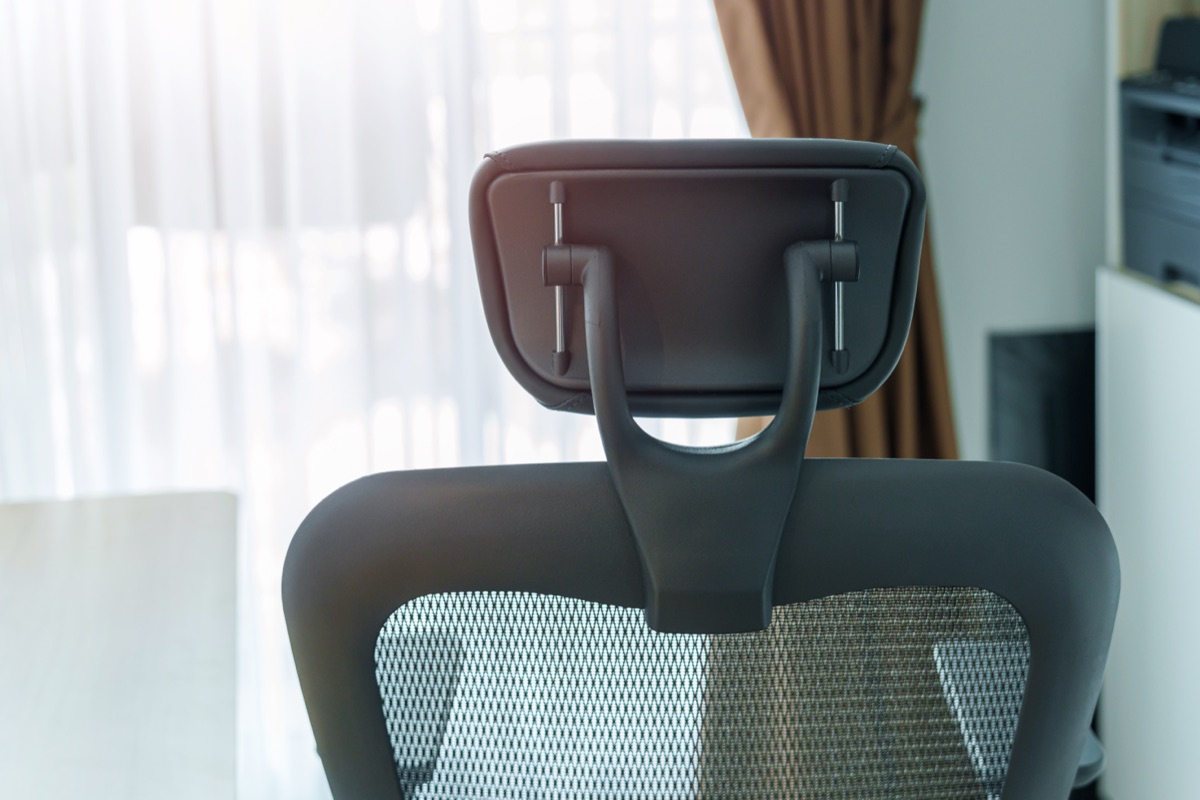
Headrests are marketing. Unless you lean back and rest between emails, a headrest pushes your neck forward when you sit upright. Same with extra cushion thickness on executive chairs — more foam does not mean more support, just a taller stack under you.
Lumbar positioning and armrest range are the two adjustments that change your posture enough to matter. Everything else is refinement.
Gaming chairs vs office chairs for development work
Gaming chairs are racing-seat replicas bolted to office chair bases. High fixed backs, deep side bolsters, thick foam padding wrapped in synthetic leather — everything designed to hold a person in one position for long sessions. Task chairs do the opposite. Adjustments let you change position throughout the day. Gaming chairs lock you in place.
The bolsters are the main problem. Side wings that curve inward keep your torso centered in racing because lateral g-forces push you sideways. Sitting still and typing generates no g-forces. Those wings just press into your ribs and shoulders every time you lean forward to read the screen or reach for the mouse. Most gaming chairs have bolsters four to six inches deep. That works in a car. At a desk it means you either sit bolt upright or fight the padding.
Lumbar support on gaming chairs is usually a separate pillow strapped to the backrest with elastic bands. It slides up and down the back, but it does not stay where you put it under body weight, and the pillow thickness is fixed regardless of how much curve your spine needs. Task chairs build the lumbar support into the frame with a knob or lever that locks it at a specific height and lets you dial the depth in and out. The difference is five minutes of comfort versus nine hours of it.
Arms adjust less on gaming chairs. Most move up and down. Fewer pivot inward or slide forward. Your forearms need to rest at keyboard height with your elbows near your ribs. If the arms do not go there, you either type with your shoulders hiked up or you leave the arms down and get no support. Neither works past lunch.
Gaming chairs cost as much as good task chairs and deliver worse ergonomics for typing work. The aesthetic is the product. If you want it, buy it. Just know what you are trading.
Recommended desk chairs for developers by category
Three specific chairs cover most developer use cases, each addressing a different constraint. The Amazon Basics Breathable Mesh Mid-Back Office Desk Chair with Armrests is a task chair with a mesh back, armrests that flip up, and tilt adjustments. Worth checking. Seat height range and armrest adjustment range matter most — read the listing for both measurements before ordering. The catch: build quality reflects the price bracket, and the mesh wears faster than higher-end alternatives. Expect two years of daily use, maybe three if you are light. After that the mesh sags.
The HON Volt Low-Back Task Chair trades appearance for function. Minimal padding, a lower back that stops mid-shoulder blade, basic tilt and height controls. This one is for developers who know the padding is not the point. Check the warranty length on the listing — HON typically offers longer coverage than budget competitors, which matters when daily use breaks chairs early. The limitation is deliberate: no neck support, so if you lean back to think this will not cradle your head. Fine for forward-focused typing. Poor for anything else.
The Lumbar Support Pillow for Office Chair is not a chair. It straps to the chair you already own and pushes your lower back forward into neutral position. This category exists because most chairs fail at lumbar support, and replacing the whole chair costs more than fixing the one part that hurts. Check thickness and strap length in the listing — too thick and it shoves you too far forward, too thin and it does nothing. The pillow works if your existing chair is otherwise fine and your lower back is the only problem. Replace the chair if more than one thing hurts.
When the chair is not the problem
Your desk height causes more wrist and shoulder pain than any chair feature ever will. If the desk sits too high, your wrists bend back over the edge while you type. Too low and your shoulders hunch forward to reach the keyboard. Measure from the floor to the crease of your elbow when you sit with your feet flat and your upper arms hanging straight down. The desk surface should land one to two inches below that crease. Anything outside that range will hurt by midafternoon no matter what you paid for the chair.
Standing up every hour matters more than lumbar depth or tilt tension. Circulation slows when you stay in one position. Your hip flexors tighten. The discs in your lower back compress unevenly. A chair with perfect adjustment cannot fix what happens when you do not move. Set a timer for fifty minutes. Stand, walk ten steps, sit back down. Do that and a cheaper chair will outperform an expensive one you sit in for three hours straight.
Monitor height decides neck pain. The top of the screen should sit at or just below eye level when you look straight ahead. If the monitor is too low, you tip your head forward and load the muscles at the base of your skull. If it is too high, you tilt back and compress the vertebrae. A five-dollar monitor riser fixes this faster than a headrest.
Keyboard and mouse placement controls forearm strain. Keep both devices close enough that your elbows stay near your ribs. Reaching forward even six inches loads your shoulders and traps. The chair's armrests should support your forearms lightly while you type, not lift them or push them down.
Fix the desk height, stand up regularly, adjust the monitor and move the keyboard closer before you assume the chair is the weak point. Most of the time it is not.
Common questions
What is the difference between a task chair and an executive chair?
Task chairs prioritise mechanical range over appearance with lumbar support that moves up and down the backrest, armrests that adjust in four directions, tilt tension you can tune to your body weight, and seat depth that slides forward or back. Executive chairs trade function for appearance — they add padding and upholstery, often a higher back and sometimes leather, but skip the moving lumbar support, four-way arm adjustments and fine-tuned tilt tension that task chairs provide.
Do I need a high-back or mid-back office chair for programming?
The article discusses a mid-back task chair (the Amazon Basics Breathable Mesh Mid-Back) and a low-back task chair (the HON Volt) that stops mid-shoulder blade and is fine for forward-focused typing but poor for leaning back. It notes that a high executive chair back looks better on video calls but adds weight that makes the chair harder to reposition at your desk, and that headrests push your neck forward when you sit upright unless you lean back and rest between emails.
How long does a mesh office chair last compared to fabric?
Mesh lasts five to seven years before replacement, with the edge binding able to fray where your shoulder blades hit, then the weave unravels from that point outward. Fabric lasts two to four years and shows wear through pilling where your back rubs, stains that accumulate, and compressed fibres.
Can I use a conference chair for full-time development work?
Conference chairs omit nearly every adjustment that makes a task chair tolerable for a full day — they are built for meetings that run an hour, maybe ninety minutes. Sit in one for four hours and your lower back rounds because the backrest does not follow your spine, armrests stay wherever the manufacturer bolted them, and by hour three your hip flexors tighten. They work only if you do not sit there long — short bursts of email, a quick call, fifteen minutes reviewing a pull request before you move somewhere else.
Are gaming chairs better than office chairs for typing?
Gaming chairs are racing-seat replicas that lock you in place, while task chairs let you change position throughout the day. The side bolsters press into your ribs and shoulders every time you lean forward, the lumbar pillow does not stay where you put it under body weight, and arms adjust less than on task chairs. Gaming chairs cost as much as good task chairs and deliver worse ergonomics for typing work.
What adjustments should an office chair have for all-day use?
Lumbar support that moves vertically so you can position it at the curve of your spine is the one control worth paying extra for. Four-way armrest adjustment — height, width, depth and angle — lets you bring your elbows in close and drop your shoulders. Seat depth matters if your legs are short or long relative to the average, letting you move the front edge so the seat does not dig into the backs of your knees. Tilt tension adjusts how hard you push to recline based on your weight.
Does an expensive executive chair reduce back pain better than a task chair?
No. Executive chairs trade function for appearance — the extra padding does not add ergonomic support compared to a task chair at the same price, and most executive chairs skip the moving lumbar support, four-way arm adjustments and fine-tuned tilt tension that task chairs provide. A task chair at three-quarters the price will keep your back and arms in better positions.
How do I know if my chair or my desk height is causing wrist pain?
Measure from the floor to the crease of your elbow when you sit with your feet flat and your upper arms hanging straight down — the desk surface should land one to two inches below that crease. If the desk sits too high, your wrists bend back over the edge while you type; too low and your shoulders hunch forward. Anything outside that range will hurt by midafternoon no matter what you paid for the chair, and desk height causes more wrist and shoulder pain than any chair feature.