guide
Pros and Cons of Treadmill Desks for Web Developers
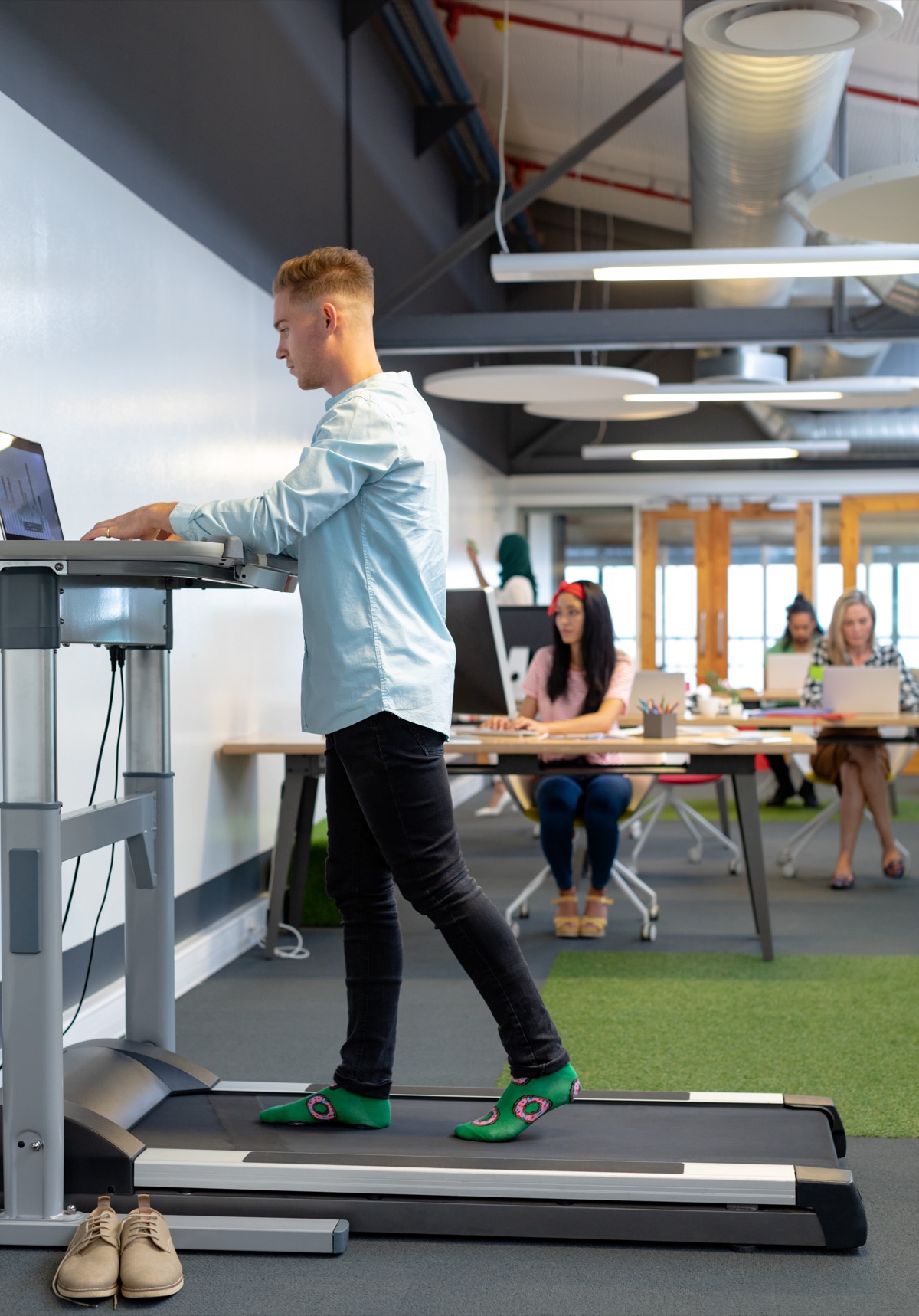
Treadmill desks trade sitting for movement, but they take up floor space, cost real money and make your desk less stable. Manual units run $200-400. You push…
Devs At Home is a participant in the Amazon Services LLC Associates Program, an affiliate advertising program. We earn from qualifying purchases. This never affects what we recommend or what we say about it.
Treadmill desks trade sitting for movement, but they take up floor space, cost real money and make your desk less stable. Manual units run $200-400. You push the belt with each step, which makes it harder to hold a typing rhythm. Electric models cost $600-1500 and walk you at 0.5-2 mph with speed presets. Smooth, but they draw power for the whole eight-hour session.
Key points
- Manual treadmill desks cost nothing to run, but every step takes 15-30% more effort than walking on flat ground. That extra effort pulls focus during a tricky merge conflict.
- Electric models hold speed within 0.1 mph once you set them, so typing bounce stays consistent. You'll burn 80-120 watts across a full workday.
- Desk converters preserve your existing setup and all the cable routing you've already done. They also add 4-8 inches of deck height under your feet, which shoves monitors higher and can blow past safe viewing angles.
- Your typing speed drops 10-20% the first two weeks while you adapt to the motion. Most developers get back to within 5% of their seated speed after that.
- A treadmill desk claims 25-30 square feet once you account for clearance behind the belt. Urban home offices often can't spare it.
- Four-plus hours of daily walking means cushioned shoes and sweat-soaked shirts. Laundry goes up. Most treadmill desk guides pretend that recurring cost doesn't exist.
What are the main advantages of treadmill desks for software developers?
Walking during a development session breaks up eight continuous hours of sitting without requiring you to stop working or context-switch out of flow state. Walk at 1.5 mph for eight hours and you'll cover 12 miles, burning roughly 500 additional calories compared to sitting. That addresses the metabolic slowdown that comes with desk work.
Movement keeps blood circulating through your legs and reduces the numbness and stiffness that build up during long debugging or code review sessions. It also changes your relationship to frustration. When a build fails or a merge conflict appears, you're already in motion rather than clenching in a chair. Many developers report this makes it easier to stay calm and methodical.
Treadmill desks give you continuous low-intensity aerobic work without dedicating separate time to exercise. Remote workers without a commute lose the incidental movement that comes from walking to meeting rooms, parking structures or transit stops. A treadmill desk restores some of that. The result is measurable: studies from the University of Minnesota in 2014 found that treadmill desk users reduced sitting time by 2.5 hours per workday on average.
What are the main disadvantages of treadmill desks for software developers?
Typing while walking introduces vertical bounce with every step. Your hands rise and fall 0.25-0.5 inches with each stride, even on a smooth electric treadmill at 1 mph. That breaks the consistent contact angle between fingers and keys. Accuracy suffers for the first 10-15 days. If you rely on complex keyboard shortcuts or Vim keybindings, expect a longer adaptation period than you'd face with a mouse and autocomplete.
Treadmill desks are loud enough to register on a microphone during video calls. A manual treadmill produces 45-55 decibels from belt friction and footfall. Electric models run quieter—40-50 decibels—but add motor hum. Colleagues on Zoom or Slack calls will hear both unless you mute, which limits spontaneous discussion during pair programming.
Walking generates body heat. At 1.5 mph in a 72°F room, you'll begin perspiring lightly within 90 minutes. Lower the thermostat, which affects everyone else in the household, or accept damp shirts during afternoon sessions. Perspiration reaches your palms, too. Keyboard contact gets less crisp, and you'll wash your hands more often to prevent oil buildup on keycaps.
Desk stability decreases under walking motion. Every step transfers force through the treadmill frame into the desk surface. Two monitors on individual stands or a monitor arm clamped to the desktop will shake with each stride. A 32-inch display on an arm sways visibly at 2 mph. Text blurs during reading.
Floor space commitment is permanent. A treadmill desk footprint measures roughly 60 inches long by 28 inches wide, and you need another 24 inches of clearance behind the belt for safe dismount. That 25-30 square foot area cannot be reclaimed for other use. Impractical in shared home offices or bedrooms serving double duty as workspaces.
How do manual treadmill desks compare to electric models for developers?
Manual treadmill desks
Manual treadmills have no motor. You push the belt backward with your feet. Every step takes 15-30% more effort than walking the same speed on flat ground because you're both propelling yourself forward and driving the belt beneath you.
That extra effort is why manual treadmills cost $200-400 versus $600-1500 for electric models. They also consume no electricity, which matters if you're already running builds that spike CPU and draw 150+ watts, or if your home office shares a circuit with the kitchen.
The constant pushing creates uneven rhythm. Focus on a difficult logic problem and your leg drive weakens unconsciously. The belt slows. You notice, push harder, the belt speeds up. This pulsing stride transfers into your typing cadence and makes it harder to hold a consistent flow state compared to the set-and-forget speed of an electric motor.
Belt friction also produces more noise because there's no motor to maintain smooth tension. The scraping measures 50-55 decibels during active use, versus 40-45 decibels for an electric treadmill at the same speed. If you work in an open-plan home space or share apartment walls, this noise difference is often the deciding factor.
Electric treadmill desks
Electric treadmill desks use a motor to drive the belt at a set speed, typically 0.5 mph to 2.5 mph. Select a speed using a control panel or remote and the motor holds that pace within 0.1 mph, which keeps your stride and typing bounce consistent across hours of use.
The motor smooths out belt tension, reducing both effort and noise. Walking at 1.5 mph on an electric treadmill feels nearly identical to walking on a level sidewalk. No extra push. You forget you're walking and focus entirely on the code. That's the goal: movement as automatic background activity, not a task competing for attention.
Electric treadmills designed for desk use cost $600-1500, depending on belt size, motor power, and control features like Bluetooth speed adjustment or preset buttons. They draw 80-120 watts continuously during use, adding roughly $3-5 per month to your electricity bill if you walk four hours per weekday.
Speed adjustment matters more than the spec sheets suggest. A treadmill with 0.1 mph increments lets you find the exact speed where your stride and typing rhythm align. That speed is different for everyone and typically falls between 1.2 and 1.8 mph. Models with only 0.5 mph steps force you to choose between too slow and too bouncy, limiting your ability to optimize for typing accuracy.
What are the trade-offs of using a treadmill desk converter versus a dedicated unit?
A treadmill desk converter is a treadmill without an attached desk surface. You place it under your existing standing desk, which lets you keep your current desktop, cable routing, and monitor setup. Electric models cost $400-800, manual ones $200-350. That's $200-400 less than buying a dedicated treadmill desk with an integrated surface.
The main trade-off is added height. A converter deck sits 4-8 inches above the floor. You stand on that deck while working, which raises your eye level by the same amount and pushes your monitors higher relative to your neutral gaze angle. Say your standing desk is already adjusted so monitors sit at the correct height when you stand on the floor — those monitors are now 4-8 inches too low when you step onto the treadmill deck. You'll need to raise the desk by the deck height to restore proper ergonomics. Many standing desks don't have enough adjustment range above their normal standing position to compensate.
Converters also introduce lateral stability questions. A dedicated treadmill desk has a frame that connects the belt assembly directly to the desktop, creating a rigid structure. Fixed. A converter sits independently beneath a desk that was designed to stand on the floor, not on a moving belt. If your desk uses a clamp-on monitor arm or has a heavy hutch, the combined weight and walking motion can cause the desk to shift slightly forward over hours of use unless you add rubber pads or anchor it to the wall.
Setup and storage flexibility favor converters. You can roll a converter out from under the desk when you want to walk and roll it back to store against a wall when you want to sit, reclaiming half the floor space. A dedicated treadmill desk is a single fixed unit that occupies its footprint permanently. For small home offices or anyone who splits time between sitting and walking, the ability to reclaim 12-15 square feet matters.
How does walking while coding affect typing speed and accuracy?
Typing speed drops 10-20% during the first two weeks of treadmill desk use as you adapt to the vertical motion. Seated at 75 words per minute, you'll measure 60-68 while walking at first. Speed recovers as muscle memory adjusts. Within four to six weeks, most users reach 95% of their seated speed.
Accuracy suffers more than speed initially. Walking disrupts the consistent finger-to-key distance, causing more missed keys and accidental presses. It's especially noticeable on mechanical keyboards with light actuation force. A 0.25-inch vertical shift can turn a light tap into a double press. Developers report fewer accuracy errors on keyboards with higher actuation force or membrane keyboards with deeper travel.
Walking speed affects typing more than treadmill cost or quality. At 1 mph, stride length is short and bounce is minimal — typing stays nearly as stable as standing still. At 2 mph, stride length increases and so does vertical movement. Every keystroke shakes. Most developers settle on 1.3-1.7 mph, where walking feels natural but typing remains controlled.
Tasks requiring sustained focus on the screen rather than the keyboard adapt faster than tasks requiring complex shortcuts. Reading pull requests, reviewing logs, watching build output — all work well while walking from day one because you're not actively typing. Writing new code, refactoring with multi-key shortcuts, using Vim motion commands: those take longer to adapt. The motion disrupts the precise finger choreography they require.
What desk stability problems occur when walking on a treadmill while using multiple monitors?
Monitor shake is the most common complaint from developers using treadmill desks with two or three displays. Each step transfers force through the treadmill frame into the desk. That force propagates into any monitor stand or arm attached to the desktop. Shake amplitude depends on monitor size, mount type and walking speed.
Individual stands shake less than articulating arms. A stand bolted directly to the desktop moves as one rigid unit with the desk, so the monitor stays in the same position relative to the desk surface. An articulating arm has joints and a long lever. Any desk movement amplifies at the monitor end. At 2 mph, a 27-inch monitor on a dual-arm mount can sway 0.25-0.5 inches side-to-side. That is enough to blur text when reading documentation.
Treadmill desk converters produce more monitor shake than dedicated units because the desk and treadmill are not mechanically connected. Every step causes the belt to apply a small rearward force against your feet. Your body transfers that force forward into the desk edge through your hands and forearms. This forward-backward rocking is small — typically 1-2 millimeters — but it makes text swim on-screen during sustained reading.
Desk material and construction determine how much walking vibration reaches the monitors. A solid wood desktop 1.5 inches thick damps vibration better than a hollow-core laminate top. A desk with a rigid steel frame transmits less shake than one with a simpler four-leg design. Check whether the frame includes cross-bracing and whether the desktop material is specified as solid or composite.
How much floor space does a treadmill desk actually require in a home office?
The treadmill itself runs 55-65 inches long and 26-30 inches wide for most desk-height models. That footprint is occupied. You can't put anything there, and it can't overlap with a door swing or your partner's chair if the office is shared.
Behind the treadmill, add 24-30 inches for safe dismount. Step backward off the belt and you need to land somewhere that isn't a wall, a bookshelf or a filing cabinet. Guidelines say 24 inches; 30 is more realistic when you're stepping off mid-bug or because a video call just started. Dead space. Nothing can go there because you need to step into it without looking.
Side clearance matters less, but you still need 6-8 inches on one side to reach the control panel, fold or unfold a hinged desktop, adjust belt tension or grab a pen you dropped. That side space can overlap with the general path you walk through the room, so it doesn't always expand the total claim.
Total committed space for a treadmill desk runs about 90 inches long by 28 inches wide. Call it 25-30 square feet. A 10-by-10-foot home office has 100 square feet, so the treadmill takes a quarter of it. In a bedroom that doubles as an office, or an apartment where the office is a living room corner, that footprint disqualifies the treadmill before you get to ergonomics or price.
Comparison of treadmill desk options for developers
| Type | Typical cost | Power requirement | Noise level | Walking effort | Speed consistency | Floor space |
|---|---|---|---|---|---|---|
| Manual treadmill desk | $200-400 | None | 50-55 dB | 15-30% more than flat ground | Varies with attention | 25-30 sq ft |
| Electric treadmill desk | $600-1500 | 80-120 watts continuous | 40-50 dB | Same as flat ground | Within 0.1 mph of set speed | 25-30 sq ft |
| Electric converter (under existing desk) | $400-800 | 80-120 watts continuous | 40-50 dB | Same as flat ground | Within 0.1 mph of set speed | 25-30 sq ft when deployed, 12-15 sq ft when stored |
| Manual converter (under existing desk) | $200-350 | None | 50-55 dB | 15-30% more than flat ground | Varies with attention | 25-30 sq ft when deployed, 12-15 sq ft when stored |
What ongoing costs come with using a treadmill desk for software development?
Electricity for an electric treadmill desk adds $3-5 per month if you walk four hours per weekday at 1.5 mph. The motor draws 80-120 watts continuously. Control electronics add another 5-10 watts in standby mode when the belt is stopped but the unit is powered on. About the same as running a second monitor.
Walking shoes wear out faster. Four hours of daily treadmill walking puts 12-15 miles per day on a pair of shoes. That's roughly 250 miles per month. Running shoes typically last 400-500 miles before the midsole cushioning compresses enough to lose impact absorption, so you'll replace shoes every 6-8 weeks instead of every 6-8 months. Adds $60-100 per year in footwear costs.
Laundry increases because you sweat. Perspiration during walking soaks shirts, and often shorts or pants as well. Most people using treadmill desks report changing shirts at midday during warmer months or when walking longer than three hours continuously. Expect 3-5 extra loads of wash per month — roughly $2-4 in water and detergent costs, plus the time cost of an additional laundry cycle each week.
Belt lubrication and tension adjustment are recurring maintenance. Treadmill manufacturers recommend lubricating the belt every 40-60 hours of use to reduce friction and motor strain. Walk four hours per day and you'll reach that interval every 10-15 days. You'll need a small bottle of silicone lubricant every 2-3 months at $8-12 per bottle. Belt tension also loosens over time and must be adjusted using an Allen wrench to prevent slipping, typically every 30-50 hours of use.
Common questions
Can you code effectively while walking on a treadmill desk?
Yes, after two to four weeks of adaptation. Your typing speed drops 10-20% initially but recovers to within 5% of seated speed. Reading documentation, reviewing pull requests and attending video calls work well from day one. Writing new code or using complex keyboard shortcuts takes longer because walking motion disrupts the precise finger movements those tasks require.
How fast should you walk while coding on a treadmill desk?
Most developers settle on 1.3-1.7 mph. That's the speed range where walking feels natural but typing remains stable. Faster than 2 mph increases stride length and vertical bounce enough to blur text on screen and reduce typing accuracy. Slower than 1 mph provides less metabolic benefit and can feel unnaturally slow, making it harder to maintain for hours at a time.
Do treadmill desks work in apartments or rooms with downstairs neighbors?
Treadmill desks produce noticeable footfall vibration that transmits through floors, especially in wood-frame buildings. Each step generates impact force comparable to normal walking, which measures 40-50 decibels in the room below. Electric treadmills add motor hum at 40-45 decibels. If you share floor and ceiling with neighbors, consider whether four hours of continuous footfall during your work hours will cause friction. Check your lease for clauses about exercise equipment.
Are treadmill desks worth it for part-time or hybrid remote developers?
Treadmill desks provide the most value to developers working from home eight or more hours per day, five days per week, because the high initial cost and permanent floor space commitment are amortized over many hours of use. Three days in the office or four-hour days? A simple standing desk or a walk before and after work delivers similar health benefits without the space and cost investment. The break-even point is roughly 20 hours per week of home desk time.
Can you use a treadmill desk with a monitor arm or multiple monitors?
Yes, but monitor shake becomes more noticeable with articulating arms and larger displays. Monitors on individual stands bolted to the desktop shake less than monitors on arms, because arms amplify any desk movement through their joints. A 32-inch monitor on a dual-arm mount will sway visibly at walking speeds above 1.5 mph, which causes text blur during reading. Single-monitor setups or monitors on fixed stands work better.
How long does it take to get used to typing while walking on a treadmill?
Typing speed and accuracy recover to near-seated levels within two to four weeks. The first week is the hardest: typing feels awkward, accuracy drops noticeably, and fatigue from the constant walking builds up by mid-afternoon. By the end of week two, walking becomes automatic enough that you can focus on code instead of stride. Complex keyboard shortcuts and Vim-style motion commands take four to six weeks to feel natural again.
Do you need a special desk for a treadmill, or can you use a regular standing desk?
A treadmill desk converter works with any standing desk that has enough height adjustment range to compensate for the 4-8 inch deck height. Most electric standing desks adjust from 25-50 inches, which is enough. The desk must also be stable enough to handle the lateral force from walking: desks with cross-braced frames work better than simple four-leg designs. Dedicated treadmill desks have integrated frames that connect the belt to the desktop, eliminating the need to match a separate desk.
What is the main reason people stop using treadmill desks?
Floor space reclamation. The 25-30 square foot footprint cannot be repurposed, and over time the value of reclaiming that space for a second desk, a comfortable reading chair, or simply a less-crowded room outweighs the health benefits of walking. The second most common reason is the ongoing fatigue: walking four hours per day is low-intensity aerobic work, but it's still work, and it competes with mental energy during difficult debugging or architecture sessions.
Should you buy a treadmill desk for software development work?
Buy an electric treadmill desk or converter if you work from home full-time, have 30+ square feet of dedicated floor space, and already walk for fun — breaks outside, pacing while you think through a problem, that sort of thing. The motor holds a consistent speed without effort from you, which means you can forget you're walking and actually focus on the code. That's the only way this works across eight hours. Budget $700-900 for a quality electric converter or $1000-1400 for a dedicated electric treadmill desk with a stable frame.
A converter makes more sense than a dedicated unit if you want to roll the treadmill aside when you're done, or if you already own a standing desk with good cable management and monitor placement you're happy with. Your standing desk needs at least 48 inches of maximum height to make up for the converter deck raising you 4-8 inches. Check that the frame is rigid enough to handle lateral walking force without wobbling.
Do not buy a manual treadmill desk for this kind of work. Driving the belt with constant leg effort competes with concentration during hard debugging sessions, and the uneven rhythm — your attention splitting between code and stride — breaks typing flow. Manual treadmills are fine for short 20-30 minute walking breaks between Pomodoro sessions. They're not fine for walking continuously while you code.
Skip treadmill desks entirely if you work in a room smaller than 10 feet by 10 feet, share floor or ceiling with neighbors in an apartment, use Vim or Emacs with complex multi-key shortcuts as your primary editor, or have a medical condition affecting balance or gait. Also skip if you work from home fewer than 20 hours per week. The cost and space commitment won't pay off with reduced usage, and a standing desk plus dedicated walking time before or after work delivers similar metabolic benefits anyway.