guide
Types of Treadmill Desks for Web Developers
Welcome back to Developer's At Home, a blog series focused on ergonomics and the benefits of using a treadmill desk for web developers. In our previous blog post, we introduced…
Devs At Home is a participant in the Amazon Services LLC Associates Program, an affiliate advertising program. We earn from qualifying purchases. This never affects what we recommend or what we say about it.
Treadmill desks for web developers come in three main types: all-in-one units with integrated desk surfaces, under-desk treadmills that fit beneath existing standing desks, and full-size treadmills paired with separate desk converters. Under-desk models are the most common choice for home offices because they fit standard standing desk heights and store flat when not in use.
Key points
- Manual treadmills require continuous walking effort to keep the belt moving and stop immediately when you stop, making them impractical for typing while walking.
- Under-desk treadmills typically run 0.5 to 4 mph and measure 4 to 6 inches tall when stored flat beneath a standing desk.
- All-in-one treadmill desks ship with a fixed-height or adjustable desk surface mounted directly to the treadmill frame, eliminating the need to match components.
- Desk converters sit on top of existing desks and raise the work surface 12 to 18 inches, allowing a standard treadmill to fit underneath.
- Belt width on under-desk treadmills ranges from 16 to 20 inches, compared to 20 to 22 inches on full-size gym treadmills.
- Most under-desk treadmills lack handrails and incline adjustment, features present on nearly all full-size treadmills.
What are the three main types of treadmill desks
The three main types are all-in-one units, under-desk treadmills paired with standing desks, and desk converters combined with existing treadmills. Each differs in how the walking surface and work surface connect.
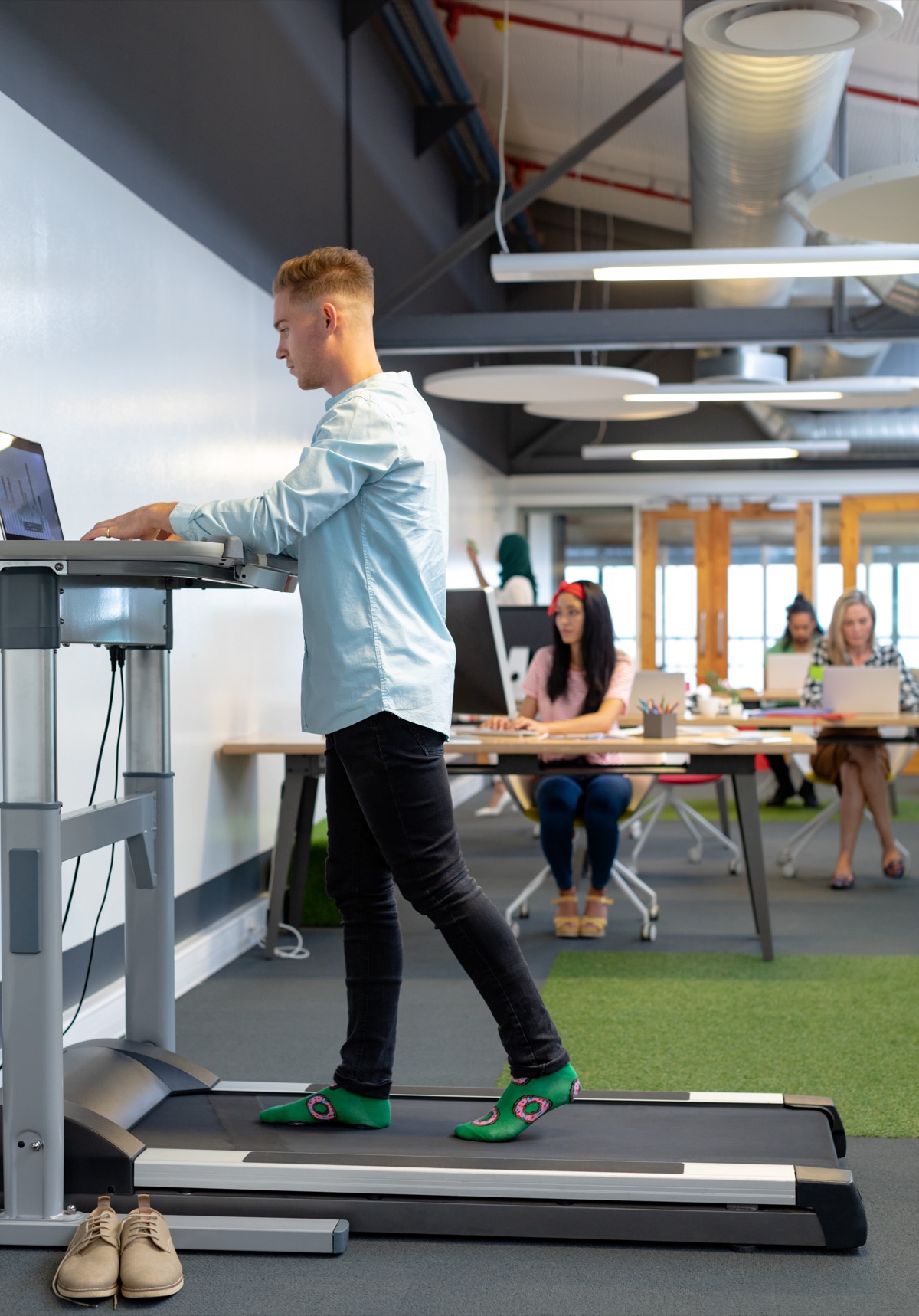
An all-in-one treadmill desk ships with the treadmill and desk as a single piece of equipment. The desk surface mounts directly to the treadmill frame, so the two components are mechanically joined. You cannot use the desk without the treadmill beneath it, and you cannot repurpose the treadmill for regular running. The entire unit occupies one footprint and moves as one piece. Most all-in-one models include basic height adjustment, but you are locked into whatever desk width the manufacturer chose.
Under-desk treadmills are separate walking platforms designed to slide under a standing desk you already own or buy separately. The treadmill and desk remain independent. You can roll the treadmill out when you want to walk and store it when you don't. This approach lets you pick any standing desk and any under-desk treadmill, mixing brands and price points. The trade-off is alignment. You have to position the treadmill correctly under the desk each time, and if the desk depth is shallow, your monitor may end up too far forward or too far back relative to where you stand on the belt.
Desk converters are platforms that sit on top of a traditional seated desk and raise your keyboard and monitor to standing height. Pair one with any treadmill that fits underneath, and you have a treadmill desk without replacing your existing furniture. Converters work, but they are the least stable option. The platform rests on the desk surface rather than bolting to it, so it shifts slightly as you type and walk. Stability matters most during debugging sessions where you are typing fast.
All three types use electric motors. Manual treadmills require too much effort to sustain walking speed while your hands are on the keyboard, which we cover in a separate section.
Under-desk treadmills vs full-size treadmills for walking while coding
Under-desk treadmills top out at 4 mph and stand about 6 inches tall without a console, while full-size treadmills reach 10-12 mph and stand 50-55 inches with the display arms attached. The height difference determines whether you can roll the treadmill under a standing desk when you're done walking.
Speed range matters less than you'd expect. Walking while typing works at 1.5-2 mph for most people — fast enough to keep you moving, slow enough that your hands stay steady on the keyboard. Full-size treadmills support that range, but you're paying for 8 additional miles per hour you won't use during a code review. Under-desk models cap out where walking-and-typing speed ends anyway.
Noise comes from the motor and the belt. Both types hum at low speeds, but full-size treadmills add the rattle of a tall frame and a console you don't need. Expect 55-65 decibels from either during a call — about as loud as a conversation in the next room. Your microphone will pick it up on unmuted Zoom calls regardless of which type you buy.
| Feature | Under-desk treadmill | Full-size treadmill |
|---|---|---|
| Height with console | 5-7 inches (no console) | 50-55 inches |
| Speed range | 0.5-4 mph | 0.5-12 mph |
| Belt width | 16-20 inches | 20-22 inches |
| Weight | 55-75 lbs | 150-250 lbs |
| Folds or stores under desk | Yes | No |
| Noise at 2 mph | 55-60 dB | 60-65 dB |
Typing accuracy doesn't change between the two at the same speed. Your wrists move the same amount whether the machine weighs 60 pounds or 200. What does affect accuracy is stride width relative to your desk setup — if the belt is too narrow, you'll shift side to side more and that movement travels up to your hands. Both types come in similar belt widths, so neither has an inherent advantage there.
Storage separates them completely. An under-desk treadmill rolls under a standing desk set to 30 inches and stays there until you want it again. A full-size treadmill lives in the middle of the room permanently. If you're in a one-bedroom apartment or a shared office, that footprint is the decision.
Weight means effort. Moving a 60-pound under-desk treadmill out from under a desk takes one hand. Moving a 180-pound full-size treadmill across the room takes planning and possibly help. That difference compounds every time you want the floor space back for a standing mat or a chair.
Why manual treadmills do not work for typing
Manual treadmills require constant leg drive to keep the belt moving, which makes sustained typing impossible. Your bodyweight pushes the belt backward with each step, and without an electric motor to maintain speed, you compensate by leaning forward and pushing harder through your legs. That forward lean puts your hands too far in front of your torso to type comfortably, and the continuous effort to drive the belt disrupts the fine motor control your fingers need. Stop pushing and the belt stops. Simple as that.
The mechanism is straightforward: manual treadmill belts turn only when your foot strikes them with enough force to overcome friction and inertia. Walking on flat ground lets you swing your arms and hold your torso upright because the ground is not moving backward under you. A manual treadmill reverses that. Every step has to push mass, so your centre of gravity shifts forward and your hands either grip the rails or hover uselessly while you focus on not stopping. Typing requires both hands stationary over a keyboard, which a manual treadmill will not permit for more than a few seconds at a time.
Manual treadmills still appear in search results for walking desks because they are cheap and marketed as desk-compatible. They are not. Retailers list them alongside electric models without clarifying the difference in use case, and the price gap looks appealing until you try to type a function name while also preventing the belt from decelerating under you. Save the money for an electric model or skip the treadmill entirely.
All-in-one treadmill desks: when the desk and treadmill ship as one unit
An integrated unit combines the walking surface and work surface in a single frame, engineered so the deck height and desktop height already match. Desk dimensions run 44-48 inches wide and 20-24 inches deep, enough for two monitors and a keyboard but tight if you spread out documentation or sketches. Height adjustment spans 38-52 inches on most integrated models, covering the range for someone five foot two to someone six foot four.
These solve the fit problem that kills productivity on mismatched setups. Your forearms stay parallel to the floor and your wrists stay flat because the manufacturer already dialed in the vertical relationship between belt and typing surface. No measuring, no wondering if your standing desk will go low enough, no discovering after assembly that the treadmill deck sits two inches too high. It works the day it arrives.
The desktop tilts on some models, usually zero to fifteen degrees, so you can angle a laptop or a notebook toward you without raising the whole surface. Fixed desktops are common too. Weight capacity ranges from 250 to 350 pounds for the combined load of user and equipment, which matters if you are tall or keep a heavy machine on the desk itself.
Integrated treadmill desks cost more than buying the components separately. They occupy more floor space than an under-desk model you can roll away, and moving one between rooms takes two people and some swearing. The frame is welded or bolted together as one piece, so you cannot upgrade just the treadmill or just the desk when something better appears in three years. That permanence is the trade-off for not spending an afternoon with a tape measure trying to make two unrelated products line up.
Using a desk converter to add a treadmill to your existing desk
A desk converter is a platform that sits on top of your current desk and raises your keyboard and monitors high enough to walk underneath. Most converters add between six and twelve inches of height, which puts your keyboard at roughly standing height when you are walking at desk pace. That clearance gives you room to slide an under-desk treadmill into the space below.
Weight limits matter more than manufacturers admit. A converter holding two monitors, a laptop, a mechanical keyboard and your forearms is already carrying twenty to thirty pounds before you lean on it. Check the listed capacity and subtract what you will actually put up there. Anything under fifty pounds total is tight.
Stability is the part that fails. A converter is a lever: the higher it lifts your gear, the more it amplifies every wobble from the treadmill. Walking at 1.5 miles per hour on a belt that is not perfectly balanced will shake the platform, and that shake travels straight into your wrists. Cheaper converters flex. You will feel it by day three.
Adjustability ranges vary wildly, and most converters do not list the measurements you actually need. Measure from your floor to where your elbows hang when standing, then check whether the converter's maximum height puts your keyboard there. If the product page does not state the range in inches or centimetres, assume it will not fit.
This approach makes sense if you already own a desk you want to keep and you are certain you will use the treadmill often enough to justify the experiment. The upfront cost is lower than replacing the desk. The downside is that you are stacking one piece of gear on another, and every joint is a chance for something to rattle loose.
A few converters worth checking: the gianotter Desk Organizers and Accessories with File Holder works if you need shallow storage built in, but confirm the height adjustment goes high enough for your arm length. The SKYDUE 360 Rotating Desk Pen Organizer with 5 Slots is meant for organisation rather than treadmill use, so skip it unless you are solving a different problem. The Desk Organizer and Accessories listing is generic enough that you will want to verify weight capacity and whether it ships with the hardware to lock it down. Most do not.
Matching an under-desk treadmill to a standing desk you already own
Your standing desk needs a minimum height clearance of about 42 inches from the floor to the underside of the desktop surface to fit an under-desk treadmill without forcing you to hunch. Most under-desk treadmills measure 4.5 to 6 inches tall, and walking adds another 1.5 to 2 inches of vertical body movement with each step. Add 3 to 4 inches for comfortable head clearance above your monitor. That puts the math at roughly 6 inches for the treadmill, 2 inches for step motion, 28 to 30 inches from treadmill surface to your eyes when standing upright, and 4 inches above the screen. Forty-two inches is the safe floor-to-desktop minimum.
Measure your desk at its maximum height before ordering anything. Not every standing desk goes high enough. Budget electric frames often top out at 47 or 48 inches, which leaves only 5 or 6 inches of adjustment range once the treadmill is underneath. You will feel that constraint.
Check whether your desk has a crossbar running between the front and back legs. Some standing desk frames place a horizontal stabiliser bar about 8 to 12 inches off the ground, directly where the treadmill needs to slide in. A front crossbar blocks the treadmill entirely. A rear crossbar forces you to walk closer to the front edge of the desk than is comfortable. The treadmill deck is usually 16 to 20 inches wide front-to-back, and you want to stand centred on it, not teetering at the front lip. Frames with crossbars only at the very top or with side-mounted stabilisers work fine.
If the fit is wrong, you will know immediately. Too little overhead clearance makes you duck slightly while walking, which pulls your neck forward and turns thirty minutes on the treadmill into a headache. Walking too close to the desk edge puts your wrists at an upward angle over the keyboard. A treadmill that overhangs the desk legs wobbles.
Walking speed matters here too. You can tolerate a slightly cramped setup at one mile per hour. At two miles per hour, your stride lengthens and any height or position problem becomes obvious. Most developers walk between 1.5 and 2 miles per hour while typing, so test clearance assuming the faster pace, not the slower one.
What breaks first and how long treadmill desks last
The motor burns out first on electric under-desk treadmills, typically after eighteen months to three years of daily developer use. Walking two to four hours a day at 1.5 to 2 mph puts continuous low-load stress on the motor, which is different from the intermittent high-intensity use a gym treadmill expects. Motors rated for 1.5 continuous horsepower last longer than those rated at 1 HP or below. When the motor goes, replacement costs nearly as much as a new unit.
Belt wear shows up as fraying edges or a slick walking surface, usually between twelve and twenty-four months. Replacement belts cost between forty and eighty dollars and take about an hour to install if you follow the manufacturer's diagram. Loosen the rear roller bolts, slide the old belt off, center the new one, retension and check alignment. Doable, but not trivial.
Deck lubrication keeps the belt sliding smoothly over the walking surface underneath. Most manufacturers recommend silicone spray every three to six months, which takes five minutes. Skip it and the motor works harder, the belt drags and both wear faster. You'll feel it as increased resistance when you step on.
The control board fails less often than the motor but costs more to replace when it does. Buttons stop responding or speed settings drift. Board replacements run one hundred to two hundred dollars when available, but many older models have no parts supply after three years. At that point the unit is junk.
Roller bearings develop play or seize after heavy use, causing a grinding sound or wobble in the belt. Bearing replacement requires disassembly and is rarely worth attempting yourself. Service calls cost enough that most people replace the treadmill instead.
Realistic lifespan for an under-desk treadmill used four hours a day is two to four years before a major component fails. Cheaper units cluster at the low end of that range. You'll replace the belt once and lubricate the deck six to ten times if you make it to year three. Budget for the treadmill as a consumable, not a decade-long investment. Standing up every hour matters more anyway.
Who should skip the treadmill desk entirely
Anyone with untreated knee, hip or ankle issues should not walk for hours at a time under cognitive load. A treadmill desk spreads load across the same joints continuously, with none of the variation in gait or terrain that outdoor walking provides. If standing still for two hours already produces pain, walking for two hours will make it worse.
Shared office spaces and thin-walled apartments rule out treadmill desks for noise reasons. Even quiet models produce a low hum and rhythmic footfall that carries through floors and walls. Noise-cancelling headphones solve nothing for the person in the next room. Your workflow matters as much as your walls.
Video calls and screen recordings become harder on a treadmill desk. The camera shake is subtle but visible, and your voice carries a rhythmic undertone from walking. Some people can hold a client call at one mile per hour without issue; most cannot. If half your day is meetings, a treadmill desk turns into expensive floor storage.
Complex desk layouts with multiple monitors, mic arms and cable management rarely survive the shift to a treadmill desk. Walking desks need clear space in front and behind the belt. Forget it if your desk backs onto a wall and you cannot pull it forward three feet. Measure twice.
Small rooms are a problem. A treadmill deck adds at least two feet of depth to your desk footprint, and you need clearance behind you to step on and off safely. Cramming a treadmill into a space that barely fits a chair just trades one constraint for another.
Walking while typing works for straightforward implementation and documentation. It does not work for debugging race conditions or designing distributed systems. If the bulk of your day involves holding ten things in working memory at once, the treadmill becomes a distraction rather than a tool. Some developers alternate: walk for tickets, sit for architecture. Others find any task switching breaks flow entirely. Only you know which kind of work fills your calendar, and that determines whether a treadmill desk solves a problem or creates one.
Common questions
Can you type accurately while walking on a treadmill desk
Typing accuracy doesn't change between under-desk and full-size treadmills at the same speed. Your wrists move the same amount whether the machine weighs 60 pounds or 200. What does affect accuracy is stride width relative to your desk setup — if the belt is too narrow, you'll shift side to side more and that movement travels up to your hands.
How fast should you walk on a treadmill desk while coding
Walking while typing works at 1.5-2 mph for most people — fast enough to keep you moving, slow enough that your hands stay steady on the keyboard. Most developers walk between 1.5 and 2 miles per hour while typing.
Do under-desk treadmills fit under any standing desk
No. Your standing desk needs a minimum height clearance of about 42 inches from the floor to the underside of the desktop surface to fit an under-desk treadmill without forcing you to hunch. Budget electric frames often top out at 47 or 48 inches, which leaves only 5 or 6 inches of adjustment range once the treadmill is underneath. Check whether your desk has a crossbar running between the front and back legs — a front crossbar blocks the treadmill entirely.
How much does a treadmill desk weigh
Under-desk treadmills weigh 55-75 lbs, while full-size treadmills weigh 150-250 lbs. Moving a 60-pound under-desk treadmill out from under a desk takes one hand; moving a 180-pound full-size treadmill across the room takes planning and possibly help.
Are treadmill desks too loud for video calls
Expect 55-65 decibels from either type during a call — about as loud as a conversation in the next room. Your microphone will pick it up on unmuted Zoom calls regardless of which type you buy. Video calls and screen recordings become harder on a treadmill desk — the camera shake is subtle but visible, and your voice carries a rhythmic undertone from walking.
How often do you need to lubricate a treadmill desk belt
Most manufacturers recommend silicone spray every three to six months, which takes five minutes. Skip it and the motor works harder, the belt drags and both wear faster. You'll feel it as increased resistance when you step on.
Can you use a regular gym treadmill as a treadmill desk
You can pair a full-size treadmill with a desk converter that sits on top of an existing desk and raises your keyboard and monitor to standing height. Full-size treadmills support the 1.5-2 mph range needed for typing, but you're paying for 8 additional miles per hour you won't use during a code review. The main issue is storage — a full-size treadmill lives in the middle of the room permanently, unlike an under-desk treadmill that rolls under a standing desk set to 30 inches.
Do treadmill desks need dedicated circuits or special outlets
The article does not mention electrical requirements, dedicated circuits or special outlets for treadmill desks.