guide
Introduction to Treadmill Desks for Web Developers
Welcome to the latest installment of Developer's At Home, a blog series focused on ergonomics and reducing eye strain and fatigue for web developers. In this series, we'll be…
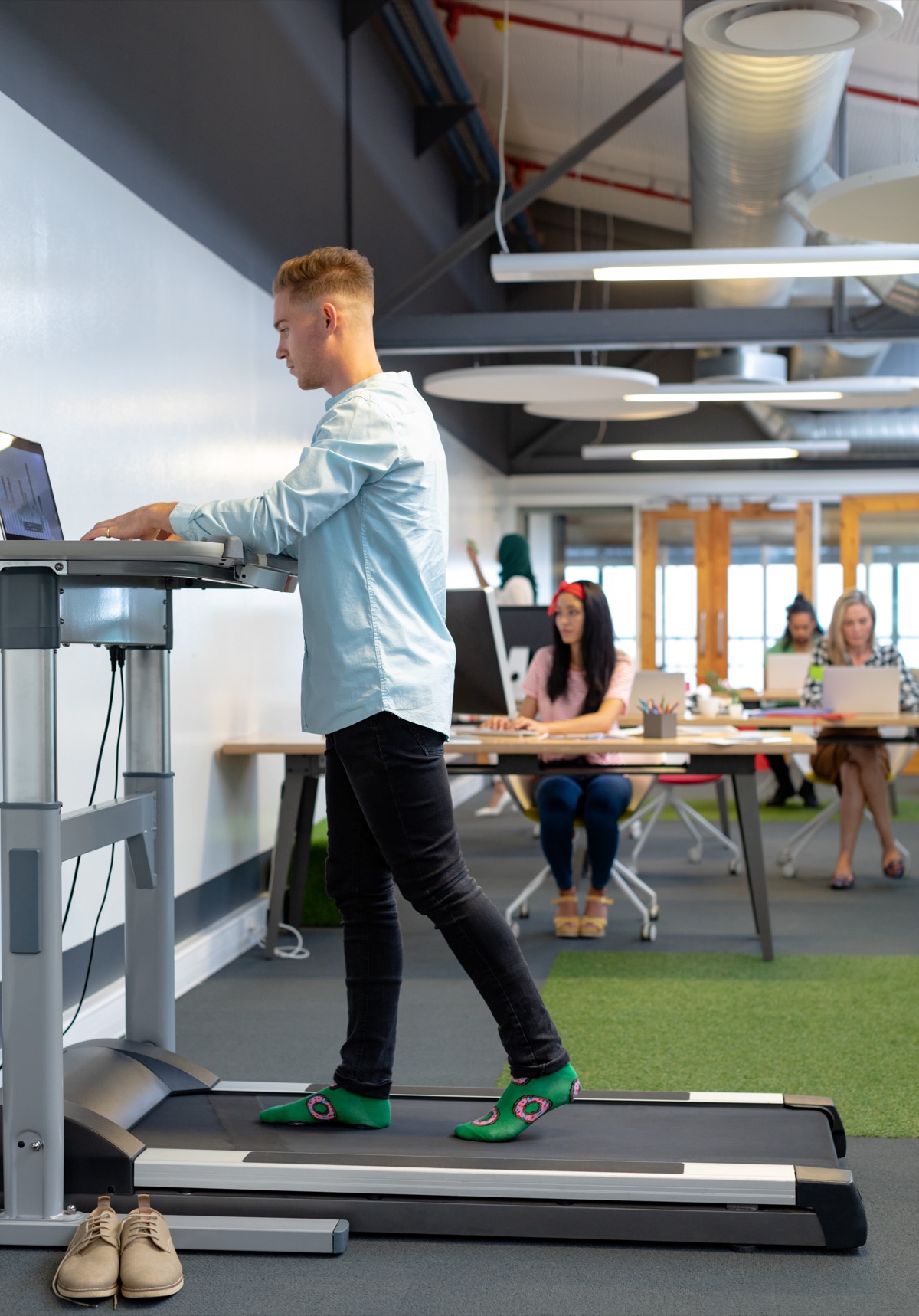
Devs At Home is a participant in the Amazon Services LLC Associates Program, an affiliate advertising program. We earn from qualifying purchases. This never affects what we recommend or what we say about it.
A treadmill desk combines a walking treadmill with a standing desk surface, letting you walk at 1-2 mph while you code. It addresses the health risks of sitting all day, but requires adjustment to typing accuracy, costs more than a standing desk alone, and works best for tasks that do not demand pixel-perfect mouse control.
Key points
- Treadmill desks hold you at standing height while a belt moves under your feet at walking pace, typically 0.5 to 2 miles per hour.
- Your typing accuracy drops noticeably for the first week as you learn to walk and type simultaneously, then recovers to near-baseline for most people.
- A treadmill desk takes up roughly twice the floor space of a sitting desk because the treadmill belt extends forward from the desk surface.
- Walking while compiling, reading documentation or reviewing pull requests is easier than walking while writing new code or doing detailed design work.
- The treadmill motor hum ranges from barely audible to loud enough that you will mute yourself on calls, depending on the unit and the speed.
- Treadmill desks weigh between 100 and 200 pounds when assembled, so moving apartments or rearranging your office becomes a two-person job.
What is a treadmill desk and how does it work?
You're walking on a treadmill that fits underneath a height-adjustable standing desk. The treadmill itself is a shorter, narrower version of what you'd see in a gym — typically around 50-55 inches long and 20-24 inches wide — with no handrails or incline controls. Most models are designed specifically for walking under a desk, which means the belt sits lower to the ground and the control panel is either a small remote or a touchpad at foot level.
The mechanics are simple. Set the desk height so your elbows bend at roughly 90 degrees when your hands are on the keyboard. Power on the treadmill, start it at 0.5 or 1.0 mph, and step on. You'll increase speed with a remote or by tapping buttons on the treadmill deck itself. No assembly required beyond plugging it in and sliding it under your desk.
Speed matters more than you'd think. Most people walk between 1.0 and 2.0 mph while working — slow enough that your upper body stays mostly still. Go faster and your shoulders start bouncing. That makes typing harder. Walking at 2.5 or 3.0 mph feels fine for reading documentation or watching a build run, but you'll notice your hands move around more when you're writing code.
The motor runs continuously while you walk, which means noise. Expect a low hum, somewhere between a refrigerator and a box fan. Cheaper models are louder. Belt friction adds a rhythmic whir as your weight shifts from foot to foot.
You control everything from your keyboard position. Stop the belt with the remote, step off the back, and you're standing at a normal standing desk. Step back on, hit start, and you're walking again. Most desks paired with these treadmills adjust electrically, so you can drop the height and use a chair when you're done walking. The treadmill slides out of the way or stays underneath — it's flat enough that your feet clear it when you sit.
That's the whole system. Walking surface, motor, desk above it. Nothing complicated.
Why would a developer use a treadmill desk instead of just standing?
Standing burns slightly more calories than sitting, but you're still stationary. Walking adds continuous low-effort movement that keeps blood circulating through your legs without the concentration cost of a workout.
Static standing trades the cardiovascular risks of sitting for a new problem: your calves and lower back hold the same position for hours. You'll feel it as a dull ache by mid-afternoon, and shifting your weight every few minutes only delays the problem. Movement solves what standing creates. Walking at one or two miles per hour keeps your muscles contracting and relaxing in turn, so no single group stays tensed long enough to cramp or stiffen.
The health argument is not about athletic performance. Walking while you write functions will not train you for a marathon. What it does is prevent the specific damage of motionlessness — the blood pooling in your feet when you stand still, the pressure on your lumbar discs when you sit for six hours straight. Gentle sustained movement addresses both without requiring you to stop working or get your heart rate up.
Some people report better focus when walking slowly during routine tasks like reviewing pull requests or answering emails. The rhythm seems to help. Others find any movement distracting and prefer to stand or sit. This is individual enough that the only way to know is to try it, and the effort trade-off is real: you will get tired faster than you would sitting down, especially in the first two weeks.
Walking also burns more energy than standing, which matters if you're trying to offset the weight gain that tends to come with desk work. The difference is not dramatic — maybe an extra hundred calories per hour over sitting — but sustained across months it adds up. That said, if your goal is pure calorie burn, an hour at the gym will always beat an eight-hour walking workday, and you should not expect walking meetings to replace actual exercise.
The practical case for walking over standing comes down to whether you can tolerate the movement cost. If you can type accurately at 1.5 mph and your knees do not hurt after an hour, you gain the circulation benefit without the postural fatigue of standing still. If the motion breaks your focus or you cannot hit the right keys, standing remains the better middle ground between sitting all day and trying to walk through deep work.
What happens to your typing and mouse accuracy when you walk?
Typing accuracy drops noticeably for the first three to five days, then recovers to near-baseline levels within two weeks for most people. Expect your error rate to roughly double during week one. Precision mouse work — pixel-level alignment, detailed image editing, fine dragging — stays difficult even after you adapt, but coarse pointer movement for clicking buttons and selecting text returns to normal surprisingly fast.
Walking introduces vertical bounce. Every step shifts your torso up and down by a quarter inch or so, which moves your hands relative to the keyboard. For the first few sessions, you'll miss keys you never miss sitting down. Home row drifts. You'll catch yourself looking at your hands more than you have in years.
Speed compounds the problem at first. Walking above two miles per hour makes the bounce worse and adds a slight forward-backward sway. Start at 1.5 mph or slower. Stay there until typing feels automatic again, which takes three or four hours of accumulated treadmill time spread over several days, not one long brutal session.
Mousing suffers more than typing initially because it requires finer control and you're working against both vertical bounce and the slight lateral shift from each footfall. Clicking a specific word in a paragraph is fine by day two or three. Selecting a precise anchor point in a vector graphic or aligning elements to a grid stays harder. Some developers never mouse comfortably on a treadmill and switch entirely to keyboard navigation for detail work.
Trackpads are worse than mice for walking, and trackballs are worse than both. Mice give you the whole forearm for stabilisation. Trackpads and trackballs rely on finger precision, which is exactly what walking disrupts. If you're committed to a trackpad, expect the adjustment period to stretch a week longer.
Reading and thinking are unaffected from the first minute. Code review, documentation, reading Stack Overflow, watching build output scroll past — none of that requires the fine motor control that walking disrupts. You'll notice the difference during your first session: passive tasks feel normal immediately, but the moment you need to edit something the errors start.
By week three, most developers report typing on a treadmill desk feels roughly the same as typing at a standing desk, meaning slightly less stable than sitting but not enough to slow them down. Muscle memory adjusts. You learn to time keystrokes between steps without thinking about it. The error rate stays slightly elevated for complex keyboard shortcuts that require four simultaneous keys, but ordinary typing and two-key combinations return to baseline.
One persistent difference: you cannot walk and type as fast as you can sit and type. Flat out, maximum speed typing — the kind you almost never do in real work — stays about fifteen percent slower on a treadmill desk even after months of adaptation. For normal working speed, the gap closes to nearly nothing.
How much space and noise does a treadmill desk add to your home office?
Treadmill desks typically require a footprint of 55-65 inches long by 25-30 inches wide, which is about the floor space of a small couch. That length includes both the walking surface and the motor housing at the rear. Width varies less, but check the spec sheet if your office is narrow — a 30-inch deck will not fit between filing cabinets set 32 inches apart once you account for the frame.
Height under the desk surface matters if you are pairing the treadmill with an existing standing desk. Under-desk treadmill models run 5-8 inches tall at the deck, low enough to slide under most adjustable desks when the surface is raised. Full treadmill desks with the attached work surface sit around 47-52 inches tall at the desktop, non-adjustable.
Noise depends on speed and build quality. Walking at 1 mile per hour produces a faint hum and the sound of your footsteps, quieter than a conversation. At 2 miles per hour, you will hear the motor working and a rhythmic stepping sound, roughly comparable to someone typing hard on a mechanical keyboard. Push to 3 miles per hour and the motor noise becomes obvious enough that people on a video call will ask about it.
Belt material and deck cushioning affect how much sound transfers through the floor. Cheaper belts with less damping produce a slapping noise at each step. Better models use layered belts and suspension systems that soften the impact, but you will still hear it in the room directly below if your office is upstairs.
Fan noise is separate. Some treadmills include a small fan mounted to the console, and it adds another 10-15 decibels when running. Turn it off for calls.
For shared spaces, stay at 1.5 miles per hour or below if someone else is in the room trying to focus. Faster than that and the motor hum becomes a constant background presence. Headphones help you; they do not help your partner working six feet away.
Treadmill desk vs standing desk vs sitting desk
Cost separates these three more than any other factor. Sitting desks start around the price of a decent office chair, standing desks cost several times that for a motorised frame, and treadmill desks cost as much as both combined. You're paying for a motor, a belt and a deck on top of the desk itself.
| Setup | Typical cost range | Floor space | Daily effort | Best suited for |
|---|---|---|---|---|
| Sitting desk | Least expensive | 24-30 inches deep | None | All tasks, all day |
| Standing desk | Middle tier | 24-30 inches deep | Standing for hours | Calls, reading, light edits |
| Treadmill desk | Most expensive | 48-60 inches deep | Continuous walking | Reading, debugging, meetings |
Space requirements double with a treadmill. Sitting and standing desks both need about two feet of depth for the worksurface and your knees or legs. Treadmills add another two feet behind you for the belt and motor housing. Measure your office before you commit.
Effort to use scales with the physical demand. Sitting asks nothing. Standing tires your legs after three or four hours, and you'll alternate with sitting unless your stamina is unusual. Walking on a treadmill desk is continuous light exercise — manageable, but you're moving the entire time you're using it.
Each setup handles different work best. Sitting works for everything, which is why you'll still do most of your hours in a chair even if you own a treadmill desk. Standing desks suit calls, code review and documentation. Treadmill desks handle reading tickets, stepping through a debugger and video meetings better than they handle writing new code. Your typing accuracy drops when you walk, so tasks that need long stretches of uninterrupted typing stay at the sitting desk.
Switching between them takes time. Motorised standing desks adjust in fifteen to thirty seconds. Moving from sitting to the treadmill means saving your work, stepping away from one desk and starting the treadmill at the other. That's a minute or two. Worth it for a focused hour of debugging. Not worth it to answer one Slack thread.
Noise and heat matter in a home office. Sitting desks are silent. Standing desks hum quietly when the motor runs, then stop. Treadmill motors run the whole time you're walking, and cheaper models are louder than premium ones. Treadmills also generate heat — not enough to notice in winter, noticeable in a small room in summer without airflow.
What kind of work is easiest and hardest on a treadmill desk?
Reading documentation, code review and passive monitoring work best on a treadmill desk because they need attention but not constant typing. You scroll, click a diff, read a pull request, think about whether the logic holds. Navigation stays accurate. Your eyes track just fine. Stack Overflow at 1.5 mph feels identical to Stack Overflow sitting down, except your hip flexors aren't compressing and your heart rate sits twenty beats higher.
Writing new code gets harder but stays possible. Typing accuracy drops slightly—you'll notice it in variable names longer than eight characters and when you're chaining method calls across multiple lines. Bracket matching takes an extra half-second of focus. Autocomplete helps. Most people adjust within a week and stop thinking about it, though you'll never type quite as fast as you do sitting still.
Debugging complex issues on a treadmill is miserable. When you're tracing state through six files, setting breakpoints, comparing two versions of a data structure in your head, the cognitive load of walking becomes obvious. Your brain has only so much working memory. Walking claims some. Stop the belt for anything that requires holding more than three things in mind at once.
Video calls depend entirely on your camera setup. If the treadmill vibration reaches your desk and your webcam sits on that desk, you'll look like you're on a bus. Mount the camera to the wall or use a laptop on a separate surface. Audio is fine—a decent headset mic won't pick up footfall noise, and your breathing stays quiet at walking pace. Screen sharing works. You can talk through a design doc or walk someone through a deployment without issue.
Pairing is the edge case. If you're mostly listening and occasionally typing a suggestion, treadmill pairing works. If you're driving and need to refactor a module while discussing architecture, stop walking. The split focus will frustrate both of you.
Do you need any accessories to make a treadmill desk usable?
You'll want cable management and a small organiser. That's it. Treadmill desks require power, and running the cable along the desk leg instead of across the floor keeps you from catching a heel mid-stride. Pen holders and phone docks keep items from sliding when the desk vibrates at walking speed.
The gianotter Desk Organizers and Accessories with File Holder fits developers who also keep paper on their desk — API references, handwritten notes, or client forms. It combines slots for pens and a vertical file rack in one unit, which saves horizontal space when desk area is already tight. The catch is bulk. Check the footprint before ordering, because it occupies more depth than a pen cup alone.
SKYDUE 360 Rotating Desk Pen Organizer with 5 Slots works if you only need writing tools and a phone dock within reach. The rotating base lets you spin compartments toward you instead of reaching across the desk while walking, which keeps your gait steady. The trade-off is capacity — five slots means you choose what stays on the desk and what goes in a drawer. Check slot dimensions if you keep wide markers or multiple devices.
Desk Organizer and Accessories is the generic middle option. Most versions include pen slots, a phone stand and small compartments without the file rack weight or the rotating mechanism cost. Check reviews for stability, because lighter organisers slide when the treadmill vibrates. You want something that stays put when you're walking at two miles per hour and pulling a pen out at the same time.
Cable clips matter more than organisers. Loose power cables are a trip hazard. Velcro straps work fine and cost almost nothing.
Who should not bother with a treadmill desk?
Skip the treadmill desk if your home office is smaller than about ten by ten feet, because the unit itself consumes roughly half that floor space and you still need room to move a chair in and out. Developers working in bedrooms or converted closets will find the footprint unworkable, and there is no folding version that does not sacrifice either desk surface or treadmill length enough to make the compromise pointless.
Budget is the other immediate filter. Treadmill desks sit in a higher price tier than either standing desks or traditional treadmills bought separately, and if you are uncertain whether you will use the thing, that expense is hard to justify. Renting is not common for this category. You are committing.
Noise-sensitive households are a poor fit. Even the quieter motor designs produce a hum audible through walls, and your footfalls add rhythmic thumping that carries through floors. Roommates, partners working from the next room and anyone trying to sleep during your shift will notice. Headphones solve it for you but not for them.
If you have never used a standing desk for more than an hour at a time, do not start here. Walking desks require more adaptation than standing, and if you have not already built tolerance for being upright while you work, the learning curve will be steeper and the chance you will give up before seeing benefit is higher. Stand successfully first.
Developers who spend most of their day writing code or editing text will find the accuracy cost frustrating. Detailed pixel work, precise selection and any task that punishes a misclick by even a few pixels becomes annoying enough that you will stop walking to do it, at which point you have bought an expensive standing desk with a treadmill you are not using underneath it. Review and documentation are fine. Implementation is not.
If you sit comfortably now and stand up every hour, you are already doing the thing that matters most for long-term health. The treadmill desk is not a fix for someone who refuses to move; it is an option for someone who already moves and wants to move more. Be honest about which one you are.
Common questions
Can you actually code while walking on a treadmill desk?
Writing new code is harder but possible—typing accuracy drops slightly, especially for long variable names and chaining method calls, and bracket matching takes extra focus. Most people adjust within a week, though you'll never type quite as fast as sitting still. Debugging complex issues is miserable because the cognitive load of walking claims working memory you need for tracing state through files.
How long does it take to get used to typing while walking?
Typing accuracy drops noticeably for the first three to five days, then recovers to near-baseline within two weeks for most people. Expect your error rate to roughly double during week one. By week three, most developers report typing on a treadmill desk feels roughly the same as typing at a standing desk.
How loud is a treadmill desk during a video call?
At 1 mile per hour, it produces a faint hum and footsteps quieter than a conversation. At 2 miles per hour, the motor and rhythmic stepping are comparable to someone typing hard on a mechanical keyboard. Push to 3 miles per hour and the motor noise becomes obvious enough that people on a call will ask about it.
Do you walk the whole work day or just part of it?
The article does not say how many hours per day people walk. It notes walking is continuous light exercise that tires you faster than sitting, especially in the first two weeks, and that you'll still do most of your hours in a chair even if you own a treadmill desk.
Can a treadmill desk fit in a small apartment office?
Skip the treadmill desk if your home office is smaller than about ten by ten feet, because the unit consumes roughly half that floor space and you still need room to move a chair in and out. Developers working in bedrooms or converted closets will find the footprint unworkable.
Is a treadmill desk better than just taking walking breaks?
The article does not compare treadmill desks to taking walking breaks. It says if you sit comfortably now and stand up every hour, you are already doing the thing that matters most for long-term health, and the treadmill desk is an option for someone who already moves and wants to move more.
What speed should you walk at while working?
Most people walk between 1.0 and 2.0 mph while working—slow enough that your upper body stays mostly still. Go faster and your shoulders start bouncing, making typing harder. Start at 1.5 mph or slower and stay there until typing feels automatic again.
Do treadmill desks work with multiple monitors?
The article does not mention multiple monitors or monitor setup.