guide
Types of Standing Desks for Web Developers
Standing desks break down into four main categories, each solving different constraints around budget, existing furniture and how much you move during the day…
Devs At Home is a participant in the Amazon Services LLC Associates Program, an affiliate advertising program. We earn from qualifying purchases. This never affects what we recommend or what we say about it.
Standing desks for web developers fall into four categories: fixed-height desks that lock at one position, adjustable desks with manual or motorised height changes, converters that sit on existing desks, and treadmill desks for walking while you work. Your choice depends on whether you need seated flexibility, how much desk space you can spare, and whether you already own furniture worth keeping.
Key points
- Fixed-height standing desks cost less because they lock at one height with no adjustment mechanism.
- Adjustable desks use a crank, pneumatic lever, or motor to move the surface between sitting and standing positions.
- Desk converters preserve your existing desk but occupy surface area even when lowered.
- Treadmill desks let you walk at one to two miles per hour, though typing accuracy drops as speed increases.
- Most standing desk surfaces measure 48 to 72 inches wide, while converters typically span 28 to 36 inches.
- Electric adjustable desks take three to twenty seconds to change height depending on motor quality and load.
What are the four main types of standing desks?
Standing desks break down into four main categories, each solving different constraints around budget, existing furniture and how much you move during the day.
Fixed-height standing desks lock at one height and stay there. You can't adjust them. That makes them uncomfortable if you share the space or if you want to sit later in the day, but the simplicity keeps the price down. They're the most affordable option in the category. Worth considering if you know the exact height you need and won't change your mind.
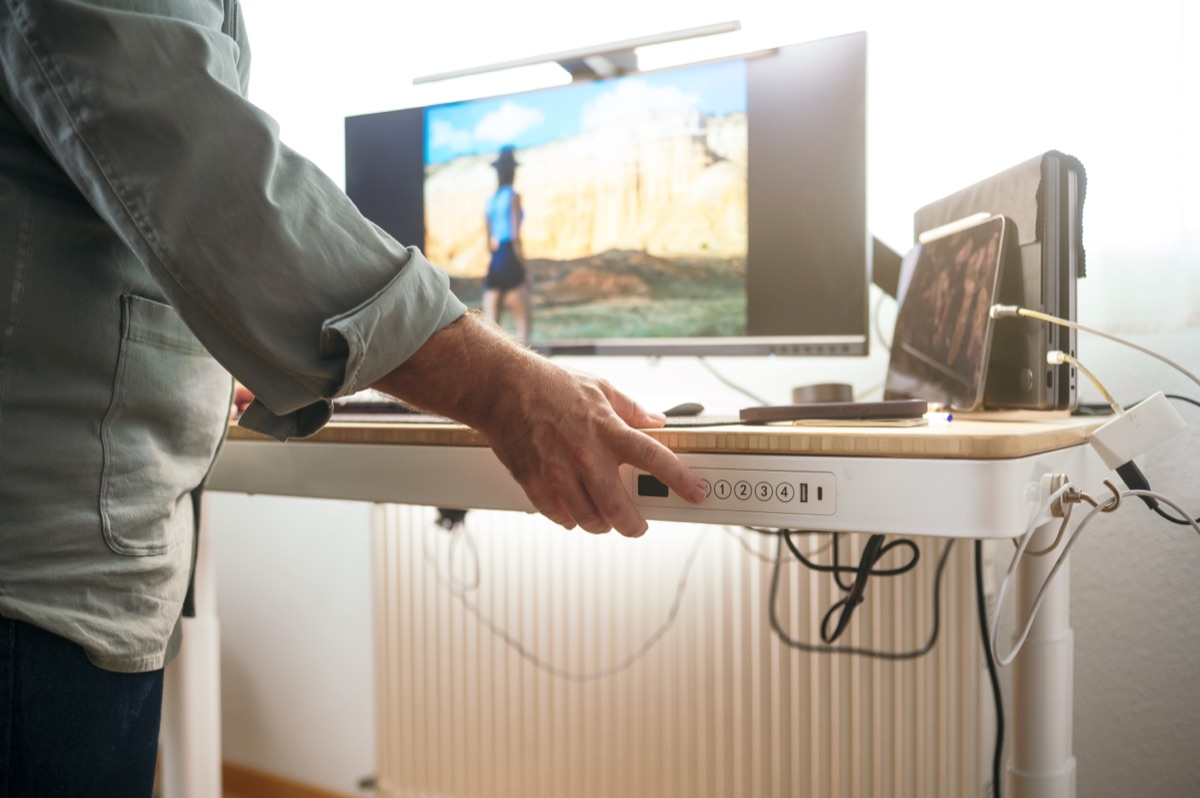
Adjustable standing desks let you switch between sitting and standing throughout the day. A lever or motor moves the surface up and down. The range typically covers seated and standing heights for most people. You'll pay more than you would for a fixed desk, but the flexibility means you can sit when your legs are tired without needing a second piece of furniture.
Desk converters sit on top of your existing desk surface. Raise the converter platform when you want to stand. They cost less than a full standing desk and let you keep the desk you already have, but they take up desk space even when lowered and usually hold less weight than a purpose-built standing desk. A converter makes sense if you're not ready to replace what you have.
Treadmill desks combine a standing desk with a treadmill underneath. You walk at low speed while you type. Walking burns more energy than standing still and keeps blood moving, but typing accuracy drops once you go much past two miles an hour. These are for someone who wants movement, not just posture change, and who has space for the footprint.
Each category trades off cost, adjustment range and floor space. The next section compares them directly so you can see which constraints matter for the room you're working in.
Fixed-height vs adjustable standing desks
Fixed-height desks lock at one position and cost less, while adjustable desks move between sitting and standing heights but cost more. Choose fixed if you know the exact height you need and will never sit; choose adjustable if you want both postures without buying two desks.
Fixed-height standing desks are simple. The surface stays where the manufacturer set it, usually around 42 inches, and there's no mechanism to change that. No motor to maintain, no lever to pull, no parts to break. The trade-off is commitment. If you're 5'4" and the desk is built for someone 5'10", your forearms slope upward all day. If your legs get tired after four hours, you either stand through it or leave the room.
Sharing the desk makes fixed height unworkable. Your elbows sit at 90 degrees; your partner's wrists bend back over the edge. One of you types in pain.
The upside is cost and floor space. Fixed desks run cheaper than adjustable models because there's nothing to adjust. They also tend to wobble less under load — a solid frame with no moving column doesn't flex when you lean on it during a call.
Adjustable standing desks solve the flexibility problem. Crank or motor the surface down in the morning when you're fresh, raise it after lunch when sitting feels like a trap. The height range usually spans 24 to 50 inches, covering seated and standing positions for most people between 5'2" and 6'4". That range also means the desk works if you move, if your next apartment has different chair options, or if someone else uses the space on weekends.
You pay for that range. Adjustable desks cost more than fixed ones, and the lift mechanism adds weight and components that can fail. Electric models need an outlet. Manual cranks need your hand free and about thirty seconds of turning. Both add thickness to the legs, which cuts into knee clearance when the desk is lowered all the way.
The real win with adjustable desks is avoiding a second workstation. Buy one surface that does both jobs instead of a standing desk and a separate sitting desk. You'll spend more up front, but you won't need to clear space for redundant furniture or decide which setup gets the better monitor.
Fixed makes sense if you've tested the height, you know you'll stand all day, and the desk will never serve anyone else. Adjustable makes sense for everyone else. Most developers sit sometimes. Your back will tell you when.
When a desk converter makes sense
A converter makes sense if your existing desk is solid, you're short on budget, or you rent and can't leave furniture behind. Converters sit on top of what you already have. You keep the desk you own, spend less than you would on a full replacement, and take the platform with you when you move. That works if the desk underneath is stable and large enough to lose some surface area.
The primary reason to choose a converter is money. A decent converter runs cheaper than a comparable adjustable desk, and you're not replacing a surface that already works. You're adding height adjustment to furniture you keep. If the desk you have is expensive or custom-sized or fits the room in a way a standard standing desk wouldn't, a converter preserves that investment.
Converters also suit rental situations. Bolt-on a platform, use it for two years, pack it up when the lease ends. No disposal problem and no selling a desk on the local classifieds before you leave town.
Where converters become false economy: when the base desk wobbles, when you need the full surface for three monitors and a keyboard tray, or when the combined height of desk plus converter doesn't reach the standing height you need. Measure first. A converter adds its own thickness even when lowered, and that raised minimum height can push your seated position too high unless your chair has enough downward range. If your chair bottoms out before your forearms are level, you'll type with your wrists cocked up.
Weight capacity matters more with converters than with purpose-built desks. Most converters hold less than a full standing desk surface. Two large monitors, a laptop, an audio interface, and a mechanical keyboard can exceed the load rating of a budget converter. Check the spec, add up what you'll actually put on it, and leave margin.
Skip the converter if you're replacing a cheap or damaged desk anyway, if you need the full surface clear, or if the desk you own sits at an odd height that'll create ergonomic problems once you stack something on top. In those cases, a dedicated adjustable desk solves more problems for not much more money.
Treadmill desks and typing accuracy
Typing accuracy drops noticeably once your walking speed passes about 1.5 to 2 miles per hour on a treadmill desk. Below that speed, most people can type normally. Above it, your gait bounces enough that your hands move relative to the keyboard with every step, and you'll start missing keys or hitting adjacent ones. The threshold varies by person — shorter strides sometimes buy you another half mile per hour — but the pattern holds. Walk slow or accept more typos.
The trade-off is real work versus theoretical benefit. Treadmill desks burn more calories than standing still and keep blood circulating better than a static position, but they only deliver that advantage if you actually walk while working. Debugging, reading documentation and reviewing code all work fine at two miles per hour. Writing new code is harder. Anything that requires flow state usually means you slow down or stop without thinking about it, and then you're standing on an expensive treadmill instead of walking on it.
Who they work for: people who spend significant time on the phone, in meetings or doing work that doesn't require continuous typing. Customer support, code review, planning sessions. Less so for someone writing React components for six hours straight.
The footprint is the other constraint. A treadmill desk takes up about twice the floor space of a regular standing desk, and most models don't fold or tuck away. You need the room, and you need it to stay that way. If your home office doubles as something else, a treadmill desk is probably not the move.
Noise is worth mentioning. Treadmill motors hum, and the deck creaks as you walk. Not loud enough to wreck a video call if you stop walking, but you'll hear it. Your household will hear it. Consider that before putting one in a shared space.
Treadmill desks are for someone who wants movement built into the workday and has tasks that tolerate walking. If your day is heads-down coding with few breaks, the accuracy cost outweighs the cardiovascular benefit. A regular standing desk and a separate walk after lunch will serve you better.
Comparison: desk type, adjustment method, and space requirements
The table below shows how fixed-height desks, adjustable desks, converters and treadmill desks differ on the attributes that eliminate options fastest: whether the height moves, how you adjust it, what footprint you need and what constraints each type solves.
| Desk Type | Height Adjustment | Adjustment Method | Typical Floor Space | Best For |
|---|---|---|---|---|
| Fixed-height standing desk | None | Set at purchase | 48-72 inches wide, 24-30 inches deep | Known height, one user, tight budget |
| Adjustable standing desk | Seated to standing range | Electric motor or manual crank | 48-72 inches wide, 24-30 inches deep | Switching between sitting and standing throughout the day |
| Desk converter | Platform raises/lowers | Pneumatic lift or counterbalance | Sits on existing desk surface, 30-36 inches wide platform | Keeping current desk, renting, or testing before full commitment |
| Treadmill desk | Seated to standing range (on most models) | Electric motor | 60-72 inches wide, 50-60 inches deep including treadmill belt | Walking while working, large dedicated office |
Floor space for treadmill desks runs deeper than other categories because the belt extends behind the work surface. You need clearance. Converters preserve your existing desk but reduce usable surface area when raised — the platform and its supports occupy space your keyboard and monitor previously had. Fixed-height desks save money by removing the adjustment mechanism entirely, which also removes every moving part that could fail. Adjustable desks cost more but let you sit when standing gets uncomfortable, eliminating the need for a separate seated desk. Each trades money for flexibility or footprint for function.
If your room is smaller than ten by ten feet, a treadmill desk will dominate it. Converters work in tight spaces because they don't expand the furniture footprint, just occupy part of what you already have. The "best for" column in the table reflects the single constraint each type solves most directly, not a comprehensive verdict — other sections cover when to choose manual over electric adjustment, how much surface area developers actually use, and who should skip standing desks altogether.
How much desk surface area do you actually need?
Two 24-inch monitors side by side need 48 inches of width, plus clearance for a keyboard, mouse and anything else you keep within arm's reach. Add six inches on each side for a mouse pad with travel room and space to rest your forearms without hanging off the edge. That brings a realistic two-monitor setup to 60 inches wide minimum. Depth matters more than most people expect. A monitor sits roughly 8 inches deep at the base, the keyboard takes another 18 inches front to back, and you need 4-6 inches behind the keyboard for your wrists when your hands are at rest. Most standing desks and converters run 24-30 inches deep, which works for a single-depth row of gear but gets tight if you stack anything behind the monitors or use a large audio interface.
Three monitors push the width requirement past what many converters offer. Three 24-inch screens span 72 inches if arranged in a flat line, and most desk converters top out around 36 inches wide. Mounting the side monitors on arms helps, but then you need desk thickness and edge access that a converter platform often blocks. Full standing desks in the 72-inch range handle three monitors without arms, though you'll still want those extra side inches for peripherals. Measure the actual footprint of everything you plan to keep on the surface rather than guessing. A mechanical keyboard is wider than a laptop keyboard, a full-size audio interface is deeper than a mouse pad, and a notebook or drink adds up fast.
Converters steal vertical space even when lowered. Most add 4-6 inches of height when collapsed, which means your monitors sit higher than they did before and your keyboard is farther from your lap when seated. Check the collapsed height spec against your seated eye level — if the converter's minimum height puts a 24-inch monitor's top edge above your natural gaze, you'll be tilting your head up all day when sitting. Neck tilt compounds over hours. Desk width and depth are usually listed in the product specs, but collapsed height on a converter gets buried or left out entirely, so measure twice before you buy. The section on which converters work for developers lists models with the measurements already pulled.
Manual vs electric height adjustment
Manual mechanisms require either a hand crank or a pneumatic lever to change desk height. Cranking a desk up from seated to standing height takes between fifteen and forty seconds of continuous turning, depending on the distance and the gear ratio. Pneumatic levers are faster — three to five seconds — but you lift the entire desktop and whatever is on it while holding the release. Both leave you slightly out of breath if the desk is loaded.
Motors do the work. Press a button and wait. Electric desks take ten to thirty seconds to travel the full range, and you can type or hold your coffee while they move. Preset buttons let you save specific heights and return to them without measuring.
Manual desks cost less. Cranks and pneumatic pistons add fifty to a hundred and fifty dollars to a frame; motors add two hundred to four hundred. That gap closes if you want memory presets, but at the bottom of the market manual is always cheaper.
Effort matters if you switch positions often. Cranking twice a day is tolerable. Cranking six times is not, and you will stop switching rather than keep turning. Electric height adjustment removes the friction, so you sit when your calves hurt and stand again twenty minutes later without deciding whether it is worth the effort.
Reliability splits the other way. Cranks and pistons have fewer parts to break and no circuit boards to fail. Motors add complexity. They also add weight — an electric frame is ten to twenty pounds heavier than the manual equivalent, which matters if you ever move the desk between rooms.
Manual adjustment is good enough if you change height once or twice a day and the desktop stays light. Once you are switching four or more times, or the desk holds three monitors and you are cranking forty pounds of gear up and down, motors pay for themselves in removed annoyance. Physical effort is the variable. Solve for that.
Which standing desk converters work for developers
Two converters handle multi-monitor setups without wobble: the Vari VariDesk Pro Plus 36 and the Ergotron WorkFit-T Standing Desk Converter. Both sit on your existing desk and raise your keyboard and screens together, keeping the ergonomic relationship between them intact while you stand.
Vari VariDesk Pro Plus 36 gives you a two-tier platform—keyboard below, monitors above—with a spring-assisted lift you squeeze to adjust. Check the weight capacity on the listing and measure your monitors before buying, because two 27-inch displays in heavy stands can exceed what the upper tier supports. The converter stays stable once locked, but lowering it brings the keyboard deck close to your existing desk surface, which cuts into legroom if you're tall. It fits someone who switches between sitting and standing several times a day and already owns a desk deep enough to accommodate the footprint when the platform is in the down position.
Ergotron WorkFit-T Standing Desk Converter uses a single wide surface for both keyboard and monitors, which simplifies weight distribution but means your screens sit closer to you than they would on a tiered model. Look for the height range in the product specs—some people find the lowest position still too high for comfortable seated typing. Pneumatic adjustment is smooth and takes one hand. This model works better if you prefer your monitors at arm's length and you're willing to give up some desk depth even when sitting. Verify the desktop dimensions match your monitor arrangement before ordering.
Both preserve your current desk instead of replacing it, but neither holds as much weight as a purpose-built standing desk. Measure twice.
Who should skip a standing desk entirely
Skip the purchase if you have untreated back pain, recent joint surgery or a circulatory condition your doctor is managing. Standing desks shift load; they do not fix structural problems. Spending money on a desk before seeing someone about sharp pain in your lumbar spine or numbness in your feet is backwards. Get the diagnosis first.
If you sit all day and never stand up to stretch, a standing desk will not save you. The harm comes from staying in one position for hours, whether that position is sitting or standing. Buying a desk and then standing motionless from nine to five just moves the problem to your knees and lower back. Stand up every hour with the furniture you already have. Do that consistently for two weeks. If you can't, a standing desk won't make you.
Budget matters. If the choice is between a standing desk and a decent office chair, buy the chair. You will sit in it for years, probably more hours than you stand. A worn-out task chair with no lumbar support and a padded seat compressed to nothing does more damage than sitting in a good chair at a fixed-height desk.
Space is the other constraint. Adjustable standing desks need clearance to move, and treadmill desks require floor space most home offices do not have. Measure the room before you measure the desk.
Common questions
Can you sit at a fixed-height standing desk?
No. Fixed-height standing desks lock at one position, usually around 42 inches, with no mechanism to change that height. If your legs get tired after four hours, you either stand through it or leave the room.
How long does it take to adjust an electric standing desk?
Electric adjustable desks take three to twenty seconds to change height depending on motor quality and load. Motors that travel the full range take ten to thirty seconds, and you can type or hold your coffee while they move.
Do desk converters damage the surface underneath?
The article does not say whether desk converters damage the surface underneath.
What is the quietest way to adjust a standing desk?
The article does not compare noise levels between adjustment methods for standing desks.
Can a treadmill desk fit under a standard height adjustable desk?
The article does not address whether a treadmill desk can fit under another desk. It only says that treadmill desks combine a standing desk with a treadmill underneath and require 60-72 inches width and 50-60 inches depth including the treadmill belt.
How much weight can a typical desk converter hold?
The article does not give a specific weight capacity for desk converters. It says most converters hold less weight than a purpose-built standing desk, and that two large monitors, a laptop, an audio interface, and a mechanical keyboard can exceed the load rating of a budget converter.
Do you need a special chair for an adjustable standing desk?
The article does not say you need a special chair. It mentions that adjustable desks work if your next apartment has different chair options, and warns that if your chair bottoms out before your forearms are level with a converter, you'll type with your wrists cocked up.
Will a standing desk fit through a standard doorway when assembled?
The article does not address whether standing desks fit through doorways when assembled.